Digitizing Natural Stone Slabs — From Photo to Stone Gallery
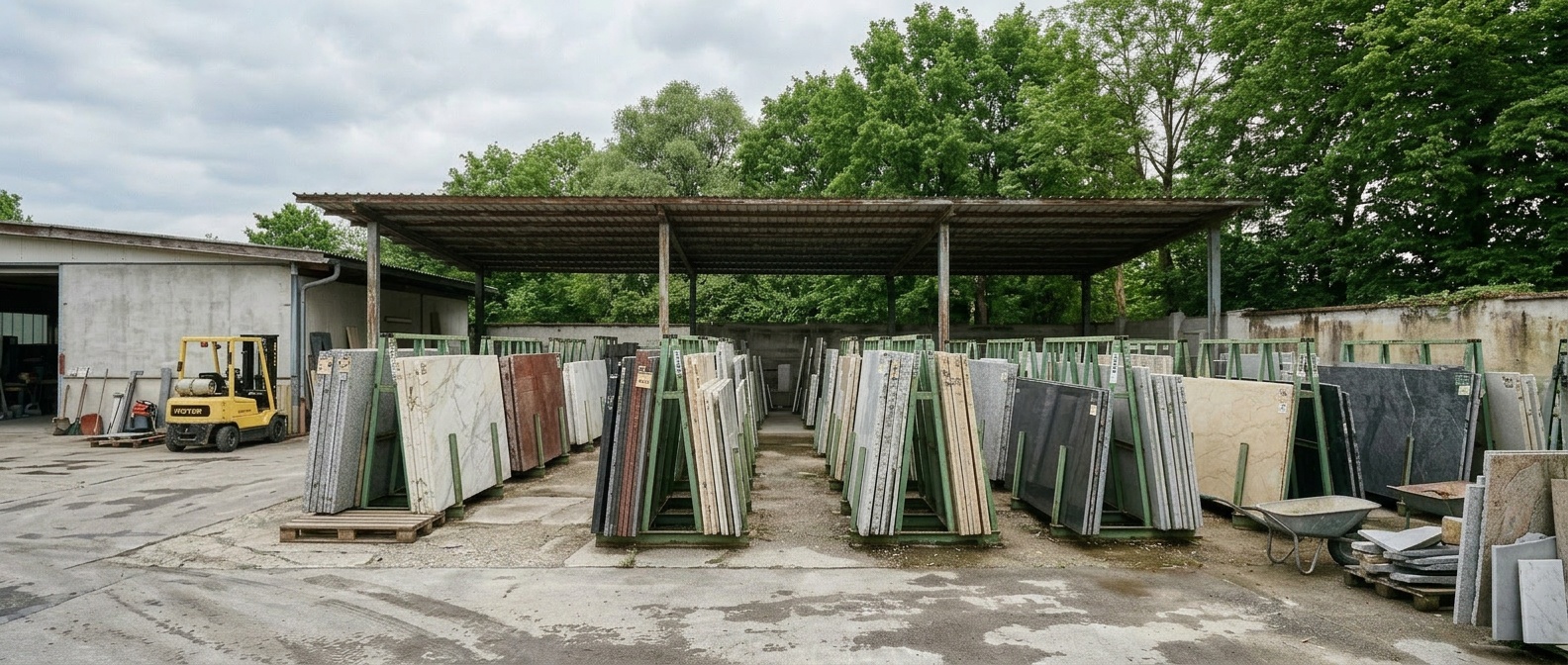
Out in the yard behind the production hall, 300 slabs are waiting — some left over from finished projects, some reserved for upcoming ones. The senior owner knew every single one: where it came from, who it was held for. Now generational change is arriving alongside all the other rising demands. What's needed is a straightforward system the whole team can actually work with. The starting point is simpler than it looks: a smartphone, a barcode printer, an hour a day, and basic software. Within days, the first inventory is visible and usable in digital form. This article lays out the concrete path for small fabrication shops — from the first barcode to a fully captured slab.
- What "Digitizing Slabs" Means in Practice
- Four Methods — and Why a Smartphone Is Enough
- Getting Started — Barcode, Smartphone, System
- Start Requesting Digital Data When Buying Slabs
- From Inventory to Quote — Fast and Precise
- Digitizing the Inventory — What It Unlocks
- System Over Institutional Knowledge — The Starting Point Is Simpler Than Expected
What "Digitizing Slabs" Means in Practice
The typical situation: a full order book, mounting admin overhead, a constant search for skilled workers, a yard holding 200 to 500 slabs, a 5-axis bridge saw in production — and a slab inventory that runs entirely on institutional knowledge and paper lists. The machines are state of the art. The inventory management is not.
The slabs are waiting for production: bathrooms, kitchens, floors, staircases, window sills. What's needed is a quick overview to calculate efficiently — an inquiry for a bathroom means: Is there enough of the requested material in stock, or does it need to be ordered? What thickness are the remaining slabs, what finish do they have? Does the slab format work for the layout? What do the slabs actually look like? Until now, answering those questions meant walking out to the yard, pulling slabs apart one by one, checking, writing things down, then heading back to the desk. Digital means seeing what's there from the office — and turning a precise quote around in minutes.
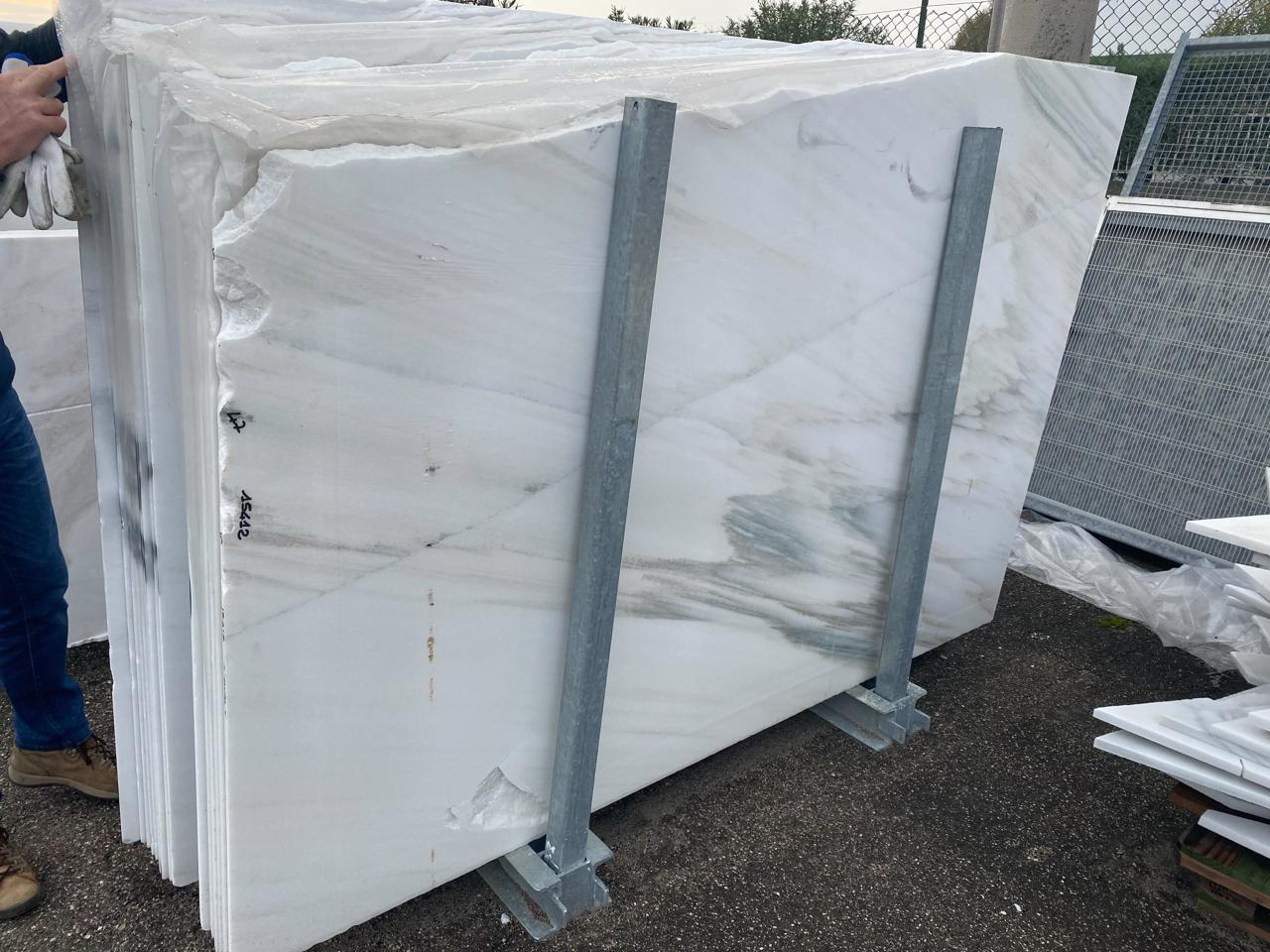
Digitizing natural stone slabs means capturing each slab once — photo, dimensions, finish, barcode — and being able to work with that data from the office from that point forward. Not as a spreadsheet row saying "Botticino, 285×182, polished," but as an actual image of the specific slab with its exact shape. The interesting part: today this requires no major investment. For a shop with 300 to 900 slabs, a smartphone is the right starting point. Through the DDL platform, inventory can be digitized directly — gradually, without heavy effort. Four steps: open the account on a smartphone, select "add slab," take a photo, enter the dimensions, generate a barcode or scan the one already on the slab — done. With a little practice, under a minute per slab.
Four Methods — and Why a Smartphone Is Enough
Smartphone
The lowest barrier to entry. Photograph the slab on the spot, enter the dimensions, print a barcode and apply it. For a shop with fewer than 500 slabs in the yard, a smartphone is the right choice — no equipment needed, no training required, immediately usable.
Photo Booth
A fixed setup with consistent distance and lighting. Reproducible quality, but slabs need to be moved to the station — around 30 slabs per day as a result. Worth setting up once slab photos are being shared with clients and architects.
Professional Photo Station
High resolution (32–40 MP), calibrated lighting, fine veining and surface defects clearly visible. For fabricators who use their stone gallery as a sales channel — where image quality directly influences buying decisions.
Inline Scanner
Integrated into the production line. Scans automatically after polishing — 12K to 21K resolution, 16 seconds per slab. Built for producers with high throughput, not for the typical fabrication shop.
Full details on all four methods including cost comparison and equipment suppliers: Photographing Stone Slabs — Smartphone to Scanner.
Getting Started — Barcode, Smartphone, System
Getting started requires no major investment. A smartphone, barcodes, and a system that connects the two. The smartphone is almost certainly already there — but what about a barcode printer? Anyone without one can order labels from a print service. The process: generate 1,000 barcodes in the system, export them as a print-ready PDF, send it to the service. Then:
Print (or order) barcodes and apply them. Each slab gets a unique barcode — printed on weatherproof labels, applied to the slab or its storage position. From that moment on, the slab is identifiable in the system. The label survives rain, dust, and forklifts.
Work through the inventory systematically. Methodically: slab by slab, material by material, rack by rack. An hour a day. Each captured slab becomes searchable — stored in the system with photo, dimensions, material, finish, and optionally its storage location. Off-cuts get their own entries too.
Capture new slabs immediately on arrival. Every slab entering the yard gets logged at intake. Photo, barcode, storage location — one process, three minutes. After a few weeks, the digital inventory grows automatically: new slabs arrive digital by default, while existing stock is gradually added in the background.
The effort pays off quickly: an employee spending ten minutes a day searching loses over 40 hours across a year — a full working week. A digital inventory with search functionality makes that search time obsolete.
Start Requesting Digital Data When Buying Slabs
Capturing existing stock is a one-time effort. New purchases are the recurring task. But here's some good news.
The major slab producers and distributors have already digitized their inventories. Every slab has a barcode, a high-resolution photo, recorded dimensions, and a block assignment. That data already exists — it just needs to be requested at purchase and imported into the shop's own system.
In practice, this means: when ordering from a producer, ask whether they maintain digital slab records and request the data package with the order. No extra effort, no added cost. With the order confirmation comes a package of slab photos, barcodes, dimensions, and material designations — everything in a single export. That data flows directly into the shop's system, no double entry required. The barcode on the slab stays the same from the producer's yard to the receiving dock.
This eliminates all capture effort for new stock and ensures data quality is right from the start — professional photos and precise dimensions from the producer, not smartphone snapshots taken in a rush.
Once that data flow is established, every future purchase arrives with zero capture overhead for the new slabs. Digitizing the existing inventory remains a one-time task — everything going forward runs automatically.
And the best part: at receiving, a smartphone and mobile app can immediately verify completeness against the order and assign a storage location.
From Inventory to Quote — Fast and Precise
An inquiry comes in: a bathroom with wall surfaces, floor, recesses and projections, a threshold, mixed finishes, on-site measurements needed, floor plan as a PDF. The old process: study the plans, summarize the scope, walk out to the yard, flip through racks, check slabs, estimate dimensions, head back to the desk, write the quote. The digital process: open the stone gallery, filter by material and thickness, check remaining area, factor in waste — build a quote including the selected stone in minutes, not hours.
See stock from the office. The stone gallery shows the full slab inventory: photo, dimensions, finish, availability. Filter by material, thickness, color. Confirm at a glance whether enough material is available for the project — without walking to the yard.
Include off-cuts in the calculation. Leftover material from an earlier project still has value if it makes it into the next quote. Off-cuts can be turned into window sills, thresholds, and more for fast turnaround jobs — if they can actually be found. Once digitized, off-cuts become revenue instead of storage costs. More on this: Optimizing Cut Waste in Stone Fabrication.
Show clients exactly what will be installed. The client for the bathroom wants to see the stone. Not everyone has time to visit the yard. Instead of scheduling a visit, the specific slabs can be shown on screen or shared via link — with real photos, dimensions, and availability. In practice, sign-off comes faster because the client knows exactly what they're getting.
From quote to project. The estimate becomes a project. What happens digitally in the background supports the full workflow even in small shops: slabs are reserved, cut data can be planned and optimized ahead of production, cut files and CNC exports are prepared. The complete workflow from layout to machine: Natural Stone Cutting: From CAD Plan to CNC Machine.
Digitizing the Inventory — What It Unlocks
Once the slab inventory is captured digitally, day-to-day operations shift in several areas at once — without new equipment or training. A smartphone or tablet is sufficient.
Scan a barcode, see the slab. Scan a slab's barcode in the yard with a phone — the slab appears immediately in the gallery: photo, dimensions, finish, purchase price, when and where it was bought, current status. No call back to the office, no digging through folders. The information is available where it's needed — when selecting material for a project on the spot.
Reorders with data import. When material is reordered, the supplier's slab data can be imported directly. New slabs are in the system immediately — with photo, dimensions, and barcode. No re-photographing, no manual entry. At delivery, just verify with a smartphone: does the delivery match the order? Assign a storage location — done.
Inventory via smartphone. No clipboard, no tally sheet: scan a barcode, confirm, move on. Each scanned slab is marked as checked. At the end, the system shows what's missing, what's been added, and where discrepancies exist. An inventory count that used to take two days gets done in half a day.
Everything on one device. Capture a slab, check stock, prepare a quote, verify a delivery, run inventory — one smartphone, one app, one system. No separate programs, no paper, no disconnect between the yard and the office.
Slab Digitization with DDL
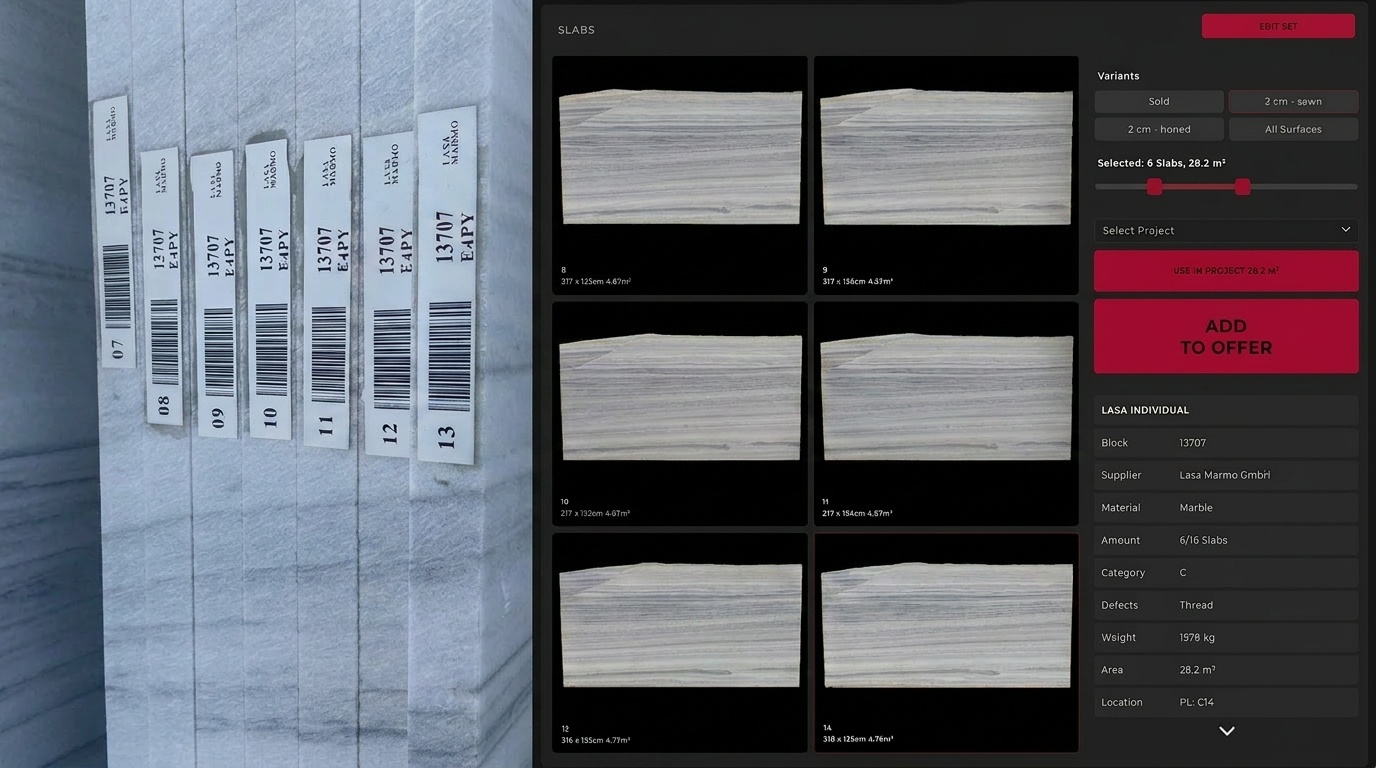
DDL captures slabs via smartphone — take a photo, print a barcode, apply it, done. The key: what starts as a stock overview grows into complete project management. Build quotes from inventory, reserve slabs, plan cut data, export to CNC — the full value chain in a single system. Existing scanner systems connect via StoneSync; supplier data is imported directly at purchase.
Explore Slab DigitizationSystem Over Institutional Knowledge — The Starting Point Is Simpler Than Expected
For stone fabricators, digitizing natural stone slabs doesn't mean investing heavily in scanner technology. It means making existing inventory accessible to every team member. A smartphone and ideally a barcode printer are enough to start. New purchases can arrive with digital data from the supplier. Existing stock can be added gradually.
The cost of not starting: lost inquiries from clients who expect photos and won't visit in person. Slabs that nobody can find anymore because the one person who knew the inventory has moved on. Off-cuts gathering dust in the yard instead of generating revenue.
There's also this: the younger generation entering the workforce today expects to use digital tools as a matter of course. Digitizing a shop's natural stone slabs also means becoming a workplace where that generation wants to work.
Questions about slab digitization can be directed to Jan Keller.
Related reading: Photographing Stone Slabs — Smartphone to Scanner and Natural Stone Digital Planning: The First Cut on Screen.
Explore DDL Solutions
Ready to Capture Slabs Digitally?
Jan Keller walks through how DDL supports the move to digital slab management — from smartphone capture to scanner migration. One conversation, 20 minutes.