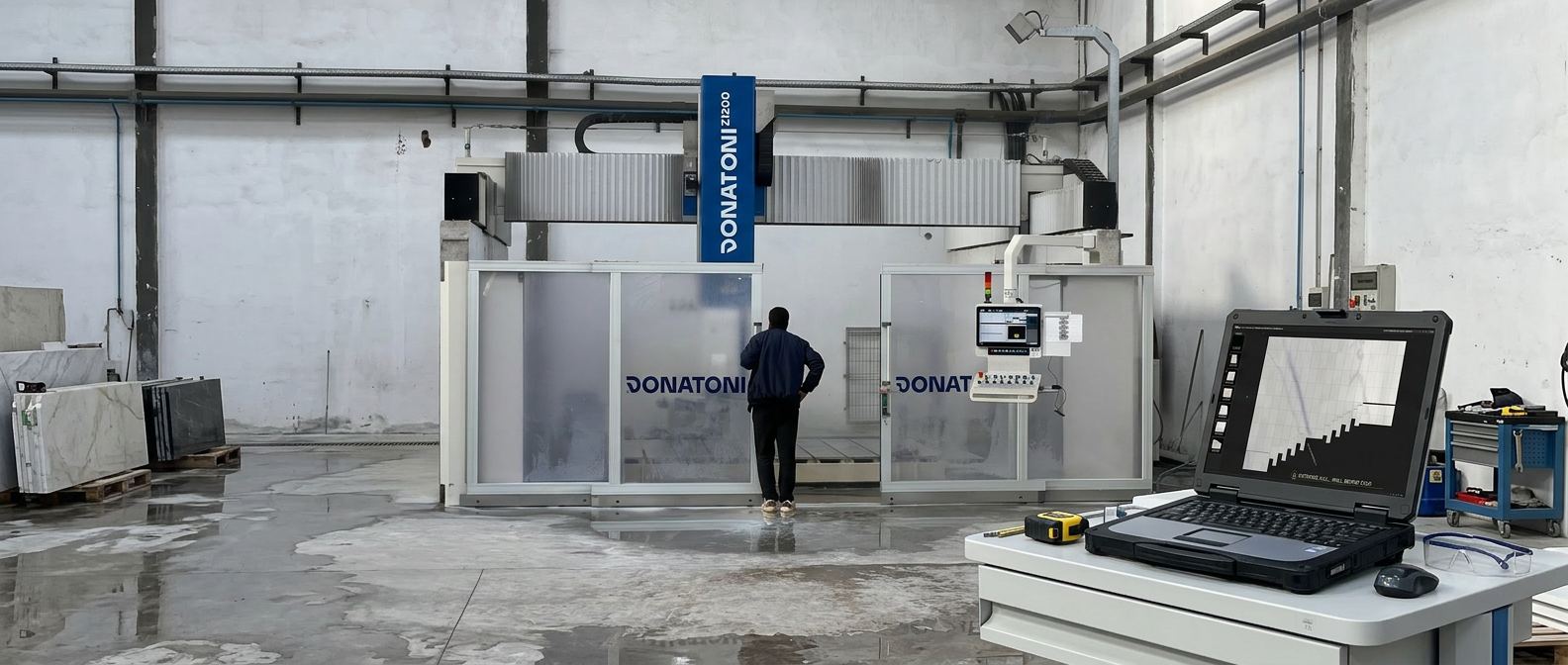
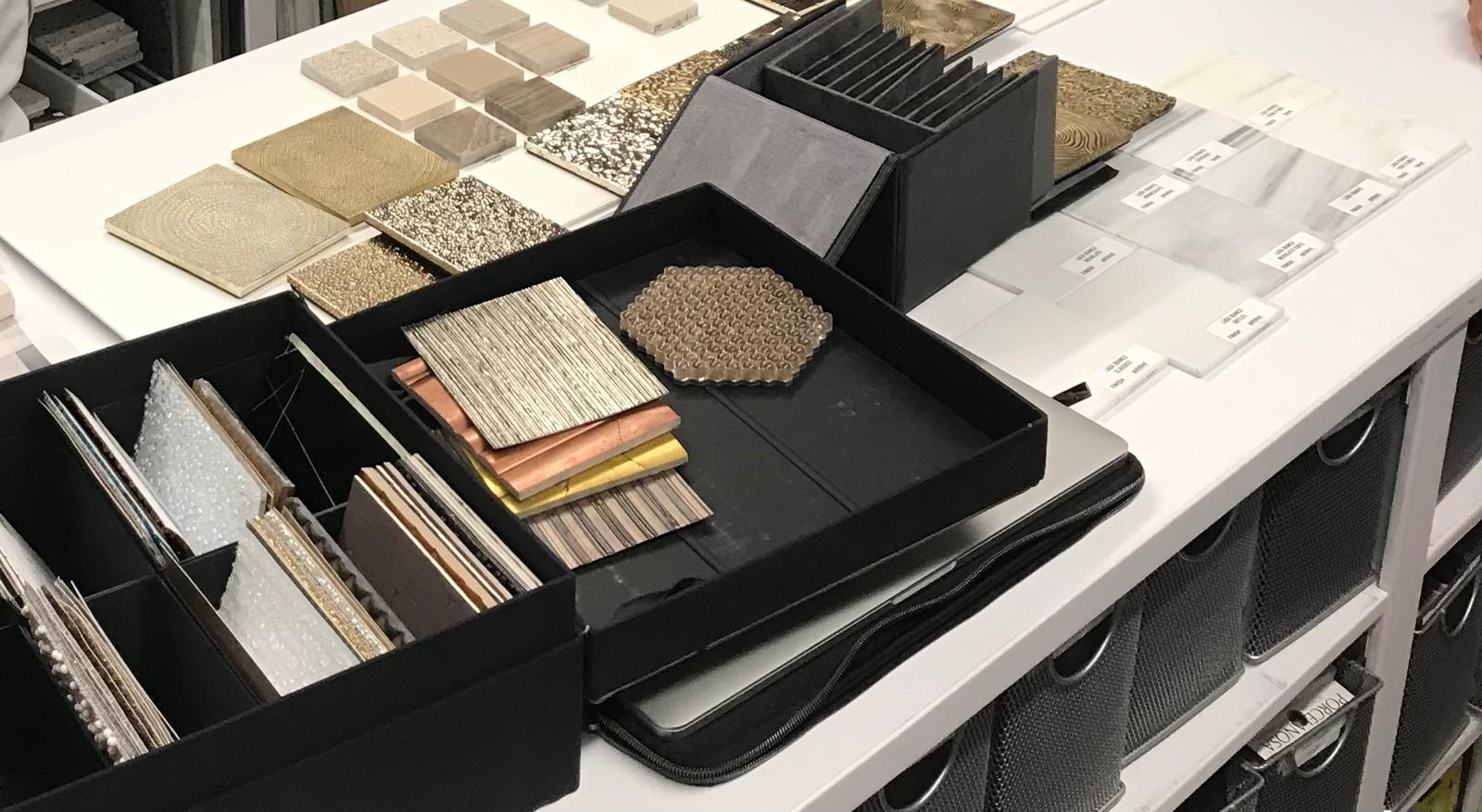
Photographing Stone Slabs: Smartphone to Scanner
Selling natural stone slabs requires showing them. Architects, planners, and buyers make their first decision on screen — not in the warehouse. The problem: many operations have hundreds of square meters of natural stone slabs in stock, but only a fraction is captured in a way that allows digital presentation to customers. What is not visible does not get inquired about. Four methods are available: camera, photo booth, professional photo station, and industrial scanner. Each has its place. This article shows what each option costs, delivers, and where its limits lie — and why the photo alone does not make a catalog.
- What is not visible does not get inquired about
- Four Methods in Direct Comparison
- Camera and Smartphone: The Entry Point That Works
- Photo Booth: The Entry Point With a Fixed Setup
- Professional Photo Station: Highest Quality in the Production Flow
- All Major Manufacturers at a Glance
- The Bottleneck After the Photo: Data That Goes Nowhere
- Which Method Fits Which Operation?
What is not visible does not get inquired about
Natural stone is a visual product. Selection starts with slab proportions — large format is mandatory today, otherwise a slab becomes a slow mover. Then come the veining structures within the material, the color gradients from left to right, and whether the whole thing is suitable for the intended surface finish. Buyers, architects, and planners make their decisions based on these criteria. Today, that decision increasingly happens on screen and less and less in the warehouse. The reason: visiting a warehouse costs time — and nobody has time anymore. An inquiry comes in, and the response needs to follow quickly. Work happens asynchronously: customer communication during the day, processing in the evening. The trip to the warehouse is simply no longer feasible for most.
At the same time, the industry is changing from another direction: most stone production facilities — those that process blocks into slabs — already digitize their slabs as standard practice. The digital image is created at the producer. But very few customers request this data at the time of purchase. So two tasks run in parallel: making existing stock digitally visible — and ensuring that when purchasing, the digital image comes along with the physical slab. For operations that buy more than they produce, the answer is often simpler than expected: a compact solution for in-house capture, and going forward, purchasing the slab plus digital image together. This is cost-neutral — the producer already has the data.
Many operations have large inventories — hundreds of square meters of natural stone slabs in stock. But only a fraction is captured in a way that allows digital presentation to customers. The rest exists on paper, in an Excel spreadsheet, or in the memory of warehouse staff. What lives there, no architect finds — and no search system either.
The consequence is measurable: what is not visible does not get inquired about. Slabs that are not digitally available sit longer, lose relevance, become slow movers. Conversely, operations that have switched to digital slab capture report not only a significant increase in inquiries — but also that they were able to reduce their overall inventory. Slow movers that previously just occupied space become visible, get cut for smaller projects, or find a buyer.
The industry works with four methods: smartphone, photo booth, professional photo station, and scanner. The smartphone serves as a stopgap for quick WhatsApp photos. For professional B2B presentation, the right choice between photo booth, photo station, and scanner is a deliberate decision that depends on operation size, budget, and the question of how closely capture should integrate into the production process.
Four Methods in Direct Comparison
Camera / Smartphone
Investment: 0-500 EUR. Effort per slab: 1-3 minutes. Quality variable, dependent on lighting and experience. Usable anywhere in the operation, no fixed location required — saves transport time. Color calibration must be done manually. Dimensions are not captured automatically. No hardware needed, immediate start. Downside: inconsistent quality, and images must be manually transferred to the inventory system — most systems lack an interface for this.
Photo Booth (DIY)
Investment: under 5,000 EUR. Effort per slab: 30-60 seconds. Consistent quality through controlled lighting. Fixed location — the slab must be transported to the station. Color calibration done once. Dimensions not automatic. Any employee can operate it. Low investment, but high ongoing effort due to transport.
Professional Photo Station
Investment: from 10,000 EUR upward. Effort per slab: a few seconds. Integrated behind the polishing line, the slab stands still — the photo is taken between drying and the A-frame. Highest image quality (40 MP), calibration via camera distance (set once). Millimeter-accurate. Detects the finest cracks and defects. Fixed position in the production line.
Industrial Scanner
Investment: 20,000-80,000+ EUR. Effort per slab: 10-20 seconds. Integrated into the polishing line — the slab moves through the scanner. Automatic color calibration via LED. Dimensions, contour, and ID are captured automatically. Very high image quality, but due to slab movement not quite at the level of a stationary photo station. An emergency stop or contamination on the conveyor belts can cause measurement errors. Any employee can operate it.
Camera and Smartphone: The Entry Point That Works
Any smartphone with 12 megapixels or more is sufficient to create slab photos for an online gallery. The bottleneck is never the camera — it is the light.
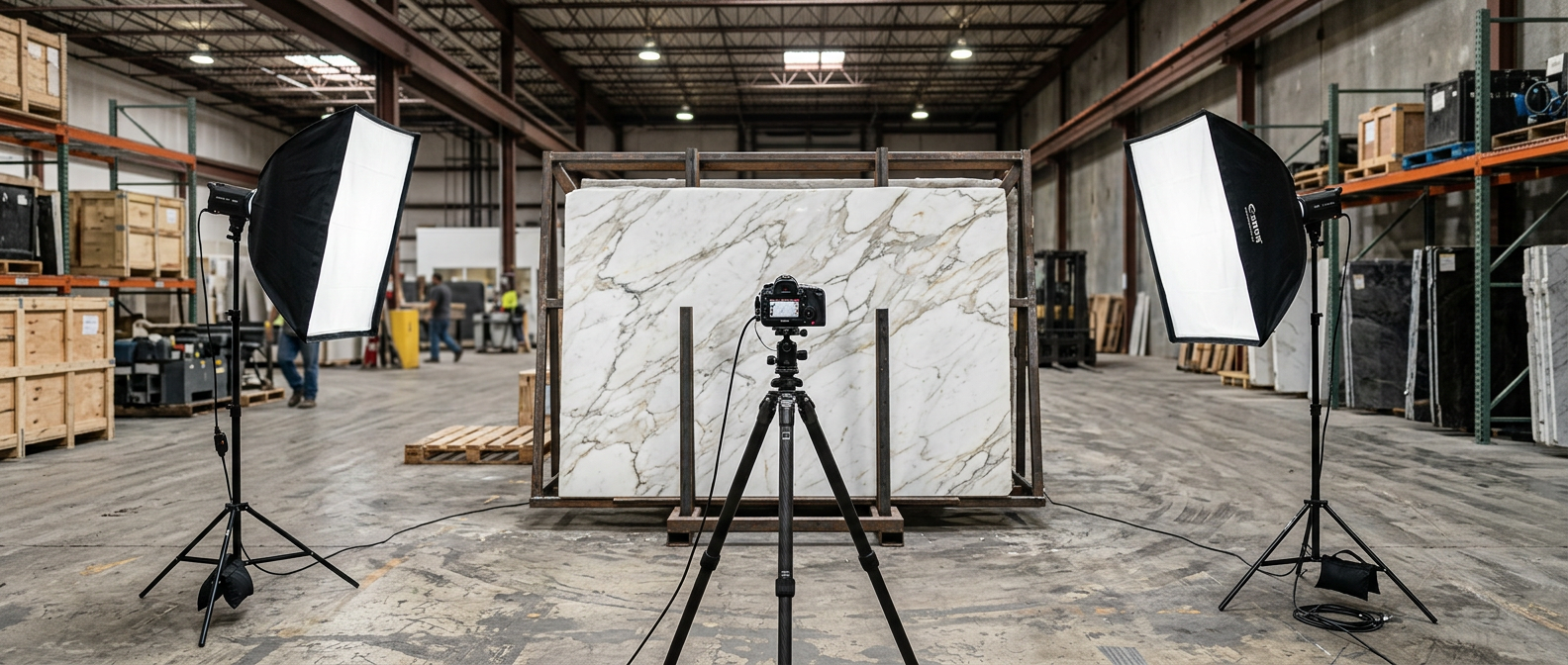
Lighting decides everything. Daylight through open hall doors is available but inconsistent. An overcast morning delivers different results than direct afternoon sun. Consistent results require a fixed photo station in the warehouse: two LED panels or softboxes, left and right at a 45-degree angle to the slab, with diffused light. A black surface on the floor below the camera prevents reflections from underneath. Ambient light — hall lighting, daylight through windows — must be blocked or at least minimized. Downside of a fixed station: the slab has to be brought there — time- and labor-intensive. When the ongoing transport effort becomes too high, it is worth considering integrating capture directly into the production process.
The reflection problem with polished surfaces. Polished marble, granite, or quartzite behaves like a mirror. A single polarization filter (CPL, from 20 EUR) on the lens reduces reflections, but often falls short with highly polished material. The professional solution is cross-polarization: a polarizing filter on the light source and a second one on the lens, rotated 90 degrees relative to each other. This removes reflections almost completely and reveals the pure surface — color and veining without distracting light reflections. Downside: 3.5 to 5 stops of light loss. A tripod becomes mandatory.
Color calibration. An X-Rite ColorChecker card (approx. 60-90 EUR) is placed as a reference in the first shot of a series. In post-processing, colors are corrected to the known reference values — all subsequent shots in the series adopt the profile. Without this step, project planning produces a checkerboard of bright and dark images instead of seamless transitions. Even with professionally installed systems, periodic color calibration checks are recommended to ensure consistency of images over long periods.
Wet versus dry. Freshly sawn slabs wetted with water temporarily show more intense colors — the classic showroom trick. The dry result differs, and the polished or resin-treated slab looks different again. Basic rule: always photograph after the final processing step and label the surface accordingly — honed, polished, flamed — so the customer can evaluate the difference in the photo against their experience. What the customer sees on screen must correspond to the real slab.
Camera settings for DSLR/Mirrorless. Aperture f/8 to f/16 for even depth of field. ISO as low as possible (100-400). Manual white balance matched to the light source (5,500 K for daylight LED). RAW format for lossless post-processing. For smartphones: activate Pro mode, lock white balance, no HDR (distorts colors), use a tripod.
The most common mistake. The camera is at an angle to the slab. Perspective distortion falsifies the veining and makes the shot unusable for cut planning. The camera must be aligned parallel to the slab surface — perpendicular from above for horizontal slabs, frontal for vertical ones.
The second most common mistake. The slab identity is missing. Saving the photo without a unique ID and exact dimensions results in images without attribution. Without ID and dimensions, correct display in a slab gallery is impossible — neither for inventory management nor for cut planning.
Vom Smartphone in die Steingalerie
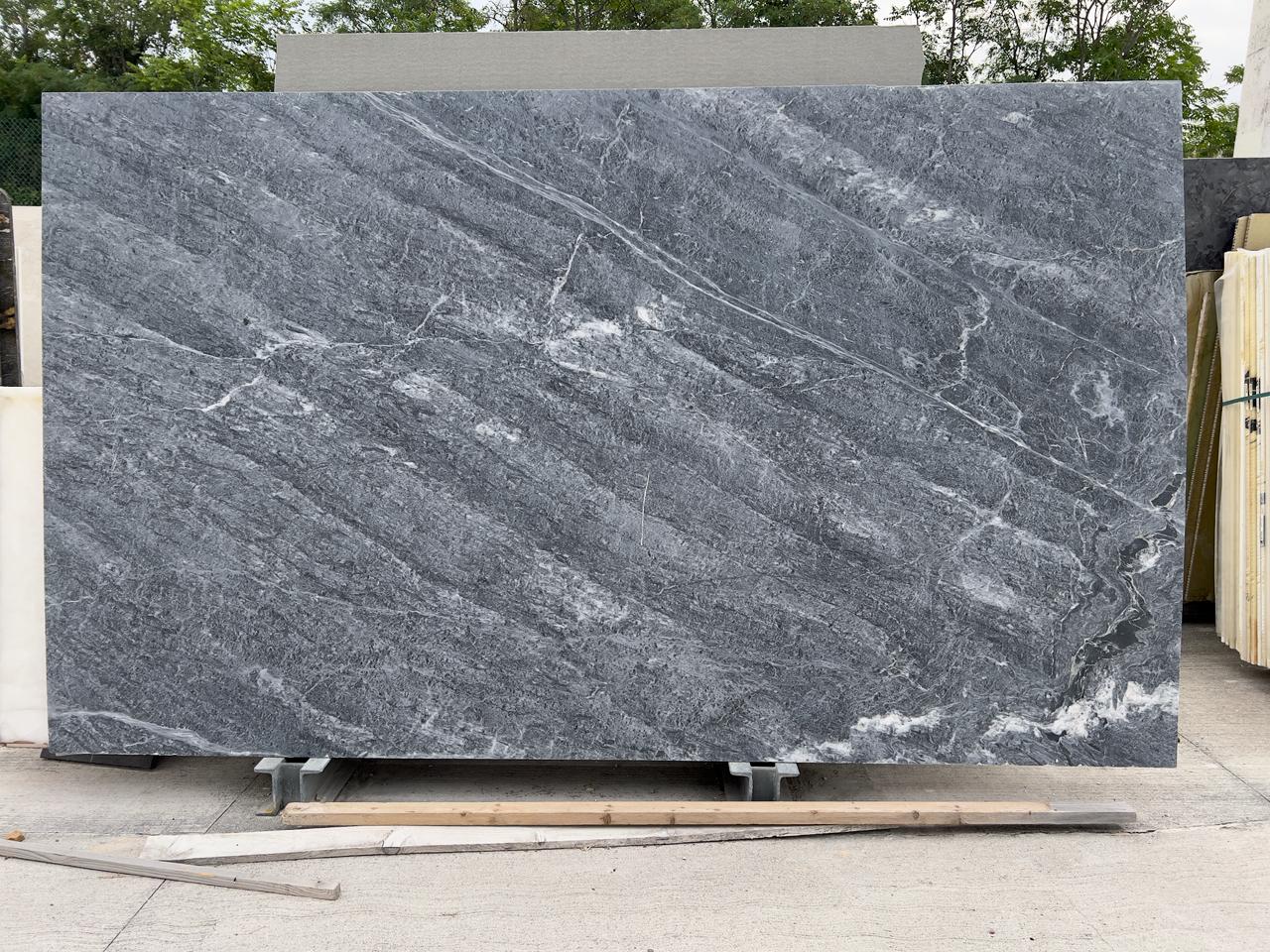
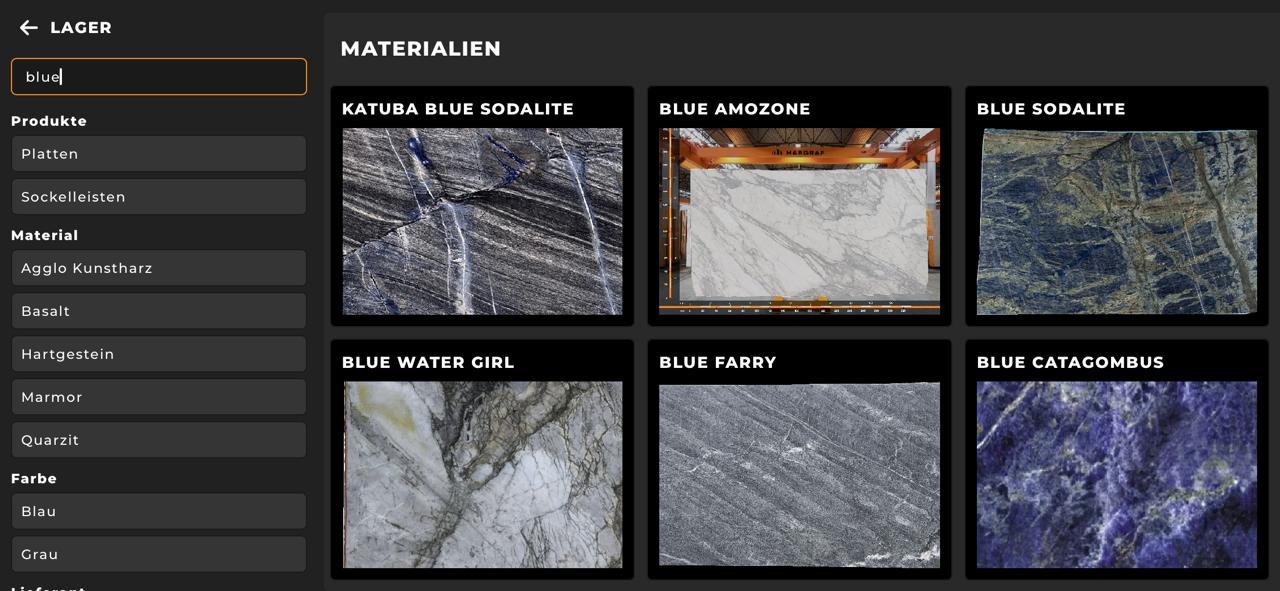
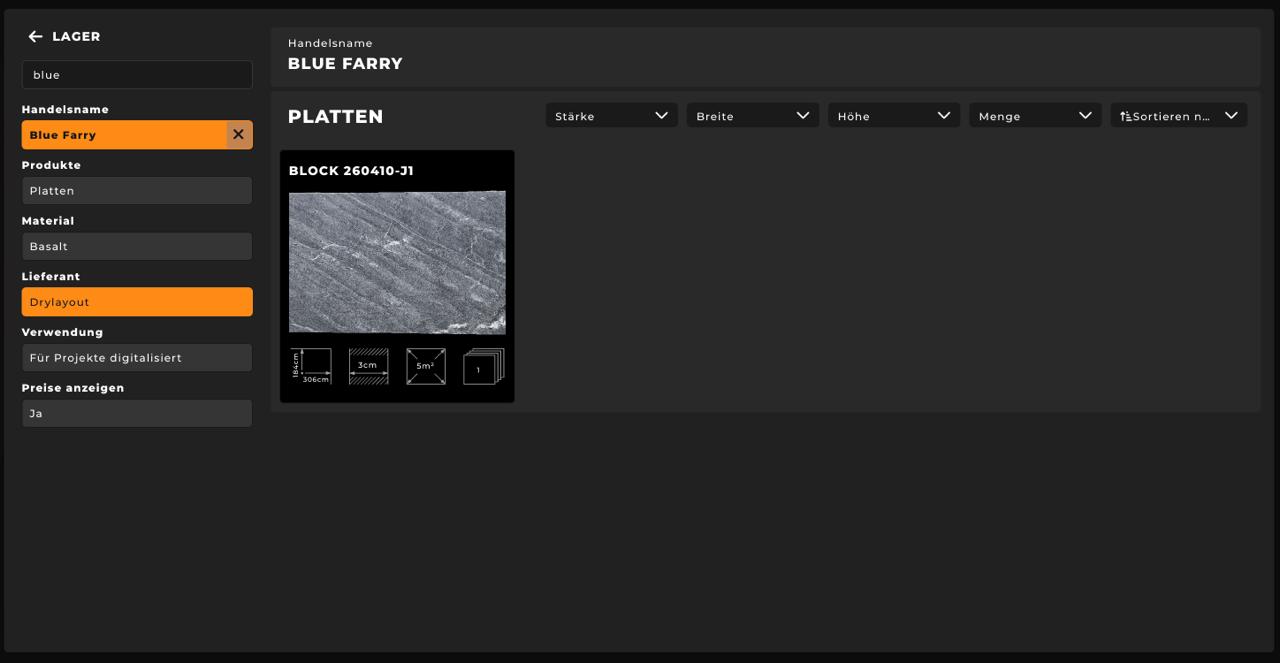
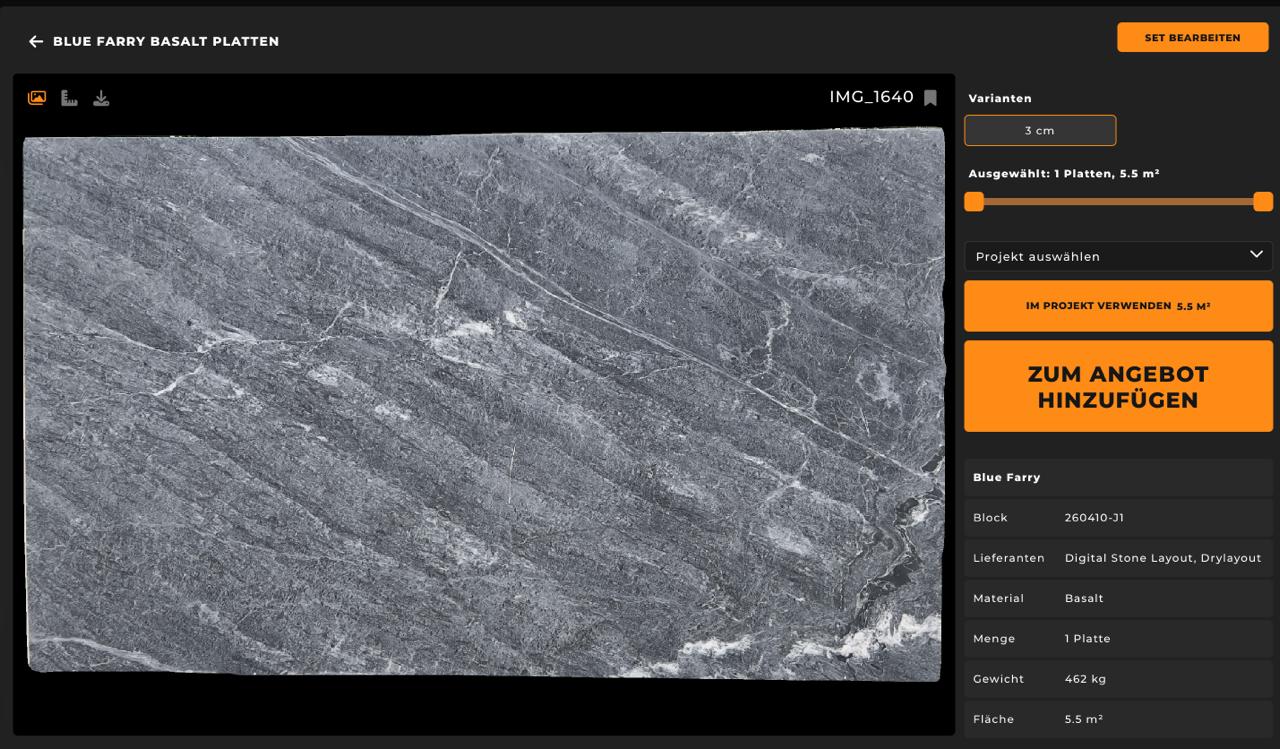
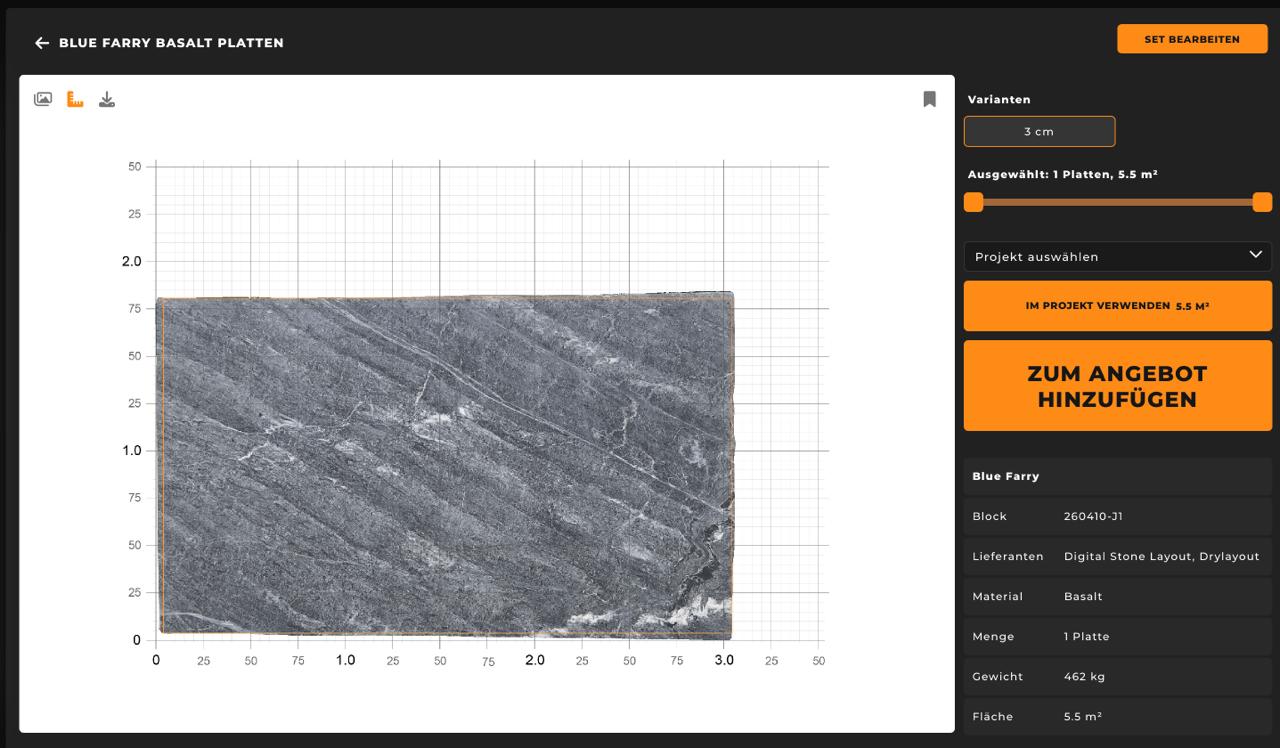
Vom Smartphone-Foto zur digitalen Galerie in weniger als 60 Sekunden.
Photo Booth: The Entry Point With a Fixed Setup
A photo booth is essentially a controlled environment: fixed frame, fixed lighting, fixed camera position. The slab is placed upright, a shutter is pressed, and the result is reproducible. Staff needs no photographic experience. The station is location-bound — every slab must be transported there, which creates noticeable effort with large inventories.
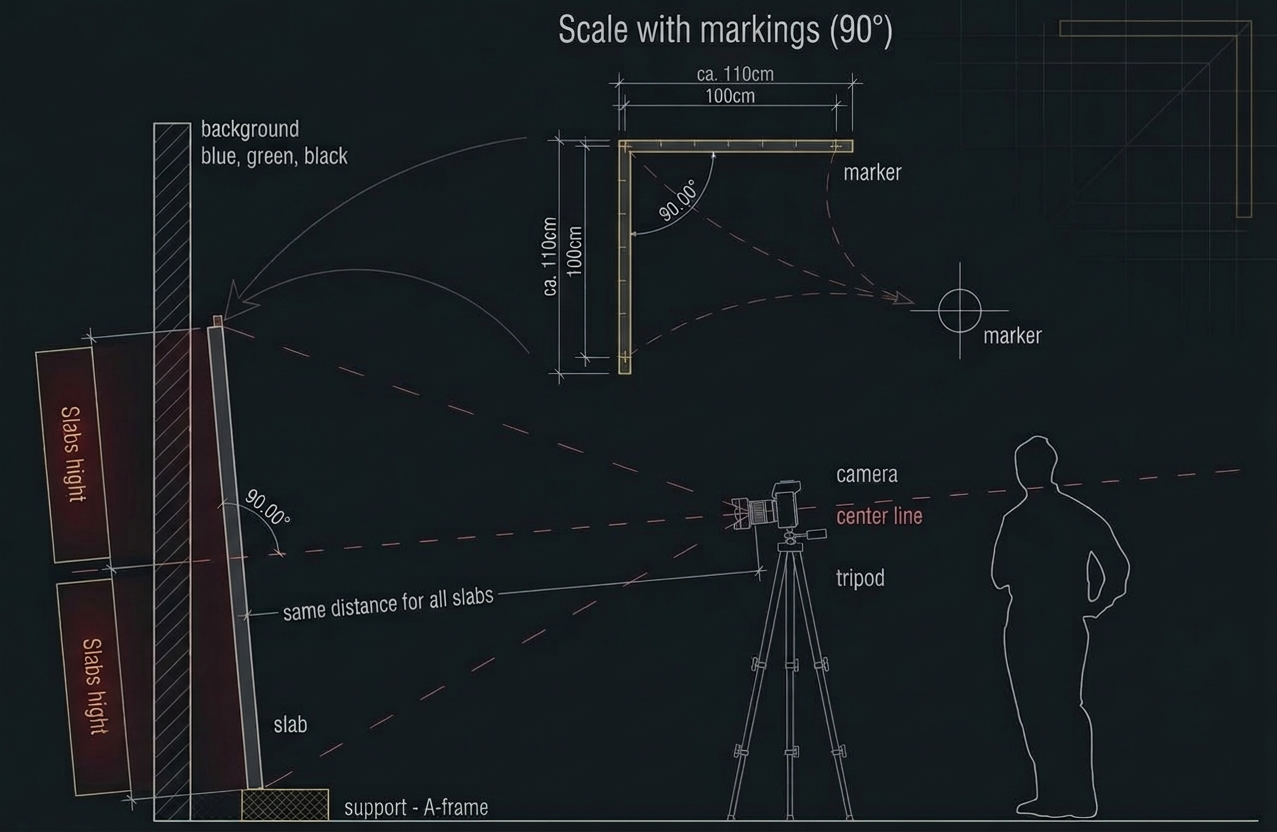
SlabSmith Photostation. The most widely used solution in the industry is not a finished product but a system consisting of a self-built A-frame stand, a Canon R100, and two Alien Bee studio flashes. The upper flash hangs at approximately 3.5 meters height, the lower one stands as close to the ground as possible — the light from below helps with automatic background removal. The camera can be up to nine meters away. After calibration — a proprietary process — every point on the slab is millimeter-accurate. The optional validation function warns when lighting has changed significantly since the last calibration. Space requirement: one working lane. The lane remains usable for normal operations.
Park Industries Pathfinder. The commercial version: a complete system delivered with frame, green screen, optional light stands, camera, and PC. Maximum slab size 3,660 x 2,130 mm. Weight: 907 kg. Software: SlabSmith full version with veining matching, digital slab inventory, and 3D visualization.
Stoneimage FLEXI PHOTOSHOOTER (Italy). An open photo chamber from Stoneimage in Carrara, designed for showrooms and fabrication shops. Controlled lighting in a compact setup — falls into the category of location-bound photo booths with professional standards.
DIY without a commercial system. Many operations build a simple station themselves: slab upright against a frame, two softboxes left and right, black background, DSLR or smartphone on tripod. This works — with one limitation: without calibration, dimensions are inaccurate and colors between shots are inconsistent. With ten slabs, this goes unnoticed. With three hundred, the result is a catalog where the same material appears warm in one image and cool in the next.
Professional Photo Station: Highest Quality in the Production Flow
The professional photo station is not a larger version of a photo booth. It is installed directly behind the polishing line — after drying, before the slab goes onto the A-frame. The slab stands still, the shot takes a few seconds. Unlike a photo booth, transport is eliminated entirely: capture happens within the running production flow.
Controlled lighting at industrial level. Fixed lighting conditions in a closed or shielded environment deliver extremely uniform results. 40-megapixel cameras resolve at such high detail that even the finest cracks and defects become visible — a decisive advantage for quality control before dispatch.
Calibration via camera distance. The distance between camera and slab is set once. This creates a millimeter-accurate mapping of every pixel to the real slab surface. Recalibration is only necessary when the camera is physically moved. This makes the solution low-maintenance in daily operation.
Stoneimage HD Photo Slabs (Italy). The company from Carrara specializes in professional capture systems for integration behind polishing lines. The HD Photo Slabs system is a highly automated capture system for the factory: a robot places the slab on a side pusher, it slides into a dark chamber, and an ultra-HD capture system adjusts to the slab's color scale. Result: extremely detailed images with true colors. The systems combine high-resolution photography with automatic measurement and contour detection. FTP integration with third-party systems is available.
Why stationary is better than moving. Compared to an industrial scanner, where the slab travels through the device, the slab stands still at a photo station. This eliminates measurement errors caused by movement and delivers, based on our experience, the highest image quality of all capture methods.
All Major Manufacturers at a Glance
Industrial scanners capture the high-resolution image, exact dimensions, contour, and a unique ID via QR code or barcode in a single pass. The technology is based on line-scan cameras and linear LED light sources in a closed unit — ambient light has no influence. Automatic color calibration is performed via the LED light sources. Unlike a stationary photo station, the slab moves through the scanner. This enables seamless integration into the polishing line but comes with a drawback: an emergency stop can cause measurement errors, and image quality does not quite reach the level of a stationary shot due to the movement.
Horus / D2 Technology (Portugal/USA). The Iris system comes in two variants: Iris 12K and Iris 21K Ultra. Scan area 3,850 x 2,150 mm each, scan time approximately 16 seconds per slab. Weight: approx. 1,250 kg. The software includes capture, 3D matching, cloud-based slab inventory, automatic defect detection (AI-powered), and an online catalog for end customers. Critically: Horus offers a documented REST API (JSON, Bearer Token), enabling integration with third-party systems. A used Iris scanner (built 2022, approx. 100 scans) traded in the US for 30,000 USD. New prices are several times that, depending on configuration.
Mapastone / Mapascan (Italy). One of the oldest providers on the market. The distinguishing feature: RAW data storage with 48-bit color depth — double the standard 24 bits. This allows tonal adjustments in post-processing without quality loss. 16 specially arranged LED lamps ensure uniform illumination. The software ranges from the operator interface at the scanner (Mapascan GUI) to cloud accounts for end customers (Mapascan BOX) to simple planning software for cut optimization (MapaProject).
Park Industries SlabVision (USA). North America's largest stone machinery manufacturer builds the SlabVision with a 32-megapixel camera and the largest scan area on the market: 3,988 x 2,200 mm. Monoblock frame in galvanized steel, motorized unloading system, 24-inch touchscreen. The exclusive tMatch software offers digital veining matching and DXF export for CNC saws. Additionally: the Pathfinder as a photo station (see above) and the compact Side-Shot system for use directly at the CNC saw.
Stone Vision / Helios (Total Stone Solutions). Originally built by Helios, now distributed by Total Stone Solutions. 12K resolution, 3,850 x 2,150 mm scan area, 16 seconds scan time. Compatible with SlabSmith and SlabCloud.
STONIFY (Portugal). A spin-off from university research and factory experience, developed by Frontwave and Sevways. Not a pure scanner but a fully integrated system from capture to delivery — built on SAGE X3 ERP. Horizontal and vertical scanners, mobile app (SHOPFLOOR) for real-time data capture in production, full traceability. In development: AI-optimized cut planning and IoT sensor integration.
Chinese manufacturers: AOKE and Xinhaineng. AOKE (Guangzhou) offers the AKS-1S for 25,800 to 32,900 USD — the only scanner with publicly listed pricing. Scan width up to 2,200 mm, length up to 3,500 mm, speed up to 12 m/min. However: the resolution is 94 DPI — drastically lower than European systems. For simple catalog photography, this may suffice; for veining matching and cut optimization, it is insufficient. Xinhaineng offers up to 300 DPI and AI-powered contour detection at similar prices.
The Bottleneck After the Photo: Data That Goes Nowhere
A slab photo is a file on a hard drive. Nothing more. It becomes a sales tool only when it is linked: with material name, block assignment, dimensions, origin, price, and availability status. In practice, many operations lack exactly this link.
What happens with slab photos without an integrated system? Photos end up on the employee's smartphone, in folders on a local PC ("Photos 2024", "New Slabs", "Block 4711"), or get sent to customers via WhatsApp. An Excel spreadsheet manages slab numbers — without any connection to the photos. The website gets populated manually once and is rarely updated after that. Remnants after cutting disappear digitally, even when physical material is still available.
The consequence: customers must visit the warehouse in person for slab selection. Phone inquiries — "Do you still have light Bianco Carrara?" — end with an employee walking to the warehouse and taking photos. The same material exists under different names. For projects requiring veining matching, only physical side-by-side comparison remains.
Scanner and photo station mean ecosystem lock-in. Every manufacturer brings its own software ecosystem. Horus stores in the Horus Cloud, Park Industries works with tMatch and SlabSmith, Mapastone with Mapascan Studio, STONIFY with SAGE X3. Open standards for data exchange between these systems barely exist. Middleware platforms like SlabCloud or DataBridge cover partial areas but do not solve the fundamental problem: choosing a scanner or photo station means committing to its ecosystem. Before investing, it is worth asking: how compatible is this system with existing infrastructure — and what happens when switching in three years?
The photo problem is solved — technically, there is a capture method for every budget. The open question is the bridge that follows: how does the image get from the warehouse into a system that sales, customers, and project planning can actually use?
From Photo to Searchable Catalog — Independent of the Capture System
DDL works seamlessly with all mentioned systems: smartphone photos via the mobile app, photo station data through direct integration, and scanner data via FTP integration all flow into the same platform. Every slab receives a photo, dimensions, block assignment, barcode, and availability status — regardless of how it was captured. The slab-based inventory management treats every slab as a unique object with its own lifecycle: Available, Reserved, Shipped, Sold. Through the online gallery, customers and planners see current stock — without a phone call, without a warehouse visit. Starting with a smartphone today and connecting a photo station or scanner tomorrow means continuing on the same platform.
Discover slab captureWhich Method Fits Which Operation?
Under 200 slabs / startup phase. A smartphone is enough. When photographing, maintain consistent camera distance to the slab, ensure the same lighting and same angle — that defines the fixed workflow. In the warehouse, every slab can be photographed directly at its location. Particularly useful: capture slabs at goods receipt so they are visible in the system from day one. Investment: one hour for workflow definition, then one to three minutes per slab.
200 to 2,000 slabs / growing inventory. The effort for manual photography becomes noticeable. A photo booth or DIY setup with controlled lighting pays for itself quickly: more consistent quality, less post-processing, 30 to 60 seconds instead of minutes per slab. Operations that regularly cut new blocks should evaluate the investment in a professional photo station or scanner — the ROI is typically reached at 1,000 slabs.
Over 2,000 slabs / industrial operation. Manual capture is no longer economical. A professional photo station or scanner on the production line — every slab is captured immediately after finishing — is the standard in large operations. The decisive factor here is not capture speed but the question of where the data flows.
Digitizing existing inventory as a one-time effort. Operations looking to capture an existing warehouse for the first time face a different situation than ongoing operations. Here it is worth setting up a dedicated area through which all slabs pass in a controlled manner — either back through the polishing line with connected capture, or through a permanently installed photo booth. Both involve considerable labor, as every slab must be moved and captured individually.
In all cases: the capture method is secondary. The workflow that follows — from photo to searchable catalog with dimensions, availability, and customer access — determines the return on investment.
So sieht Digitalisierung für den Nutzer aus
Die Platten eines Blocks in der Steingalerie: Einzelansicht, Skalierung, Zoom und Projektvorschau — schnell, klar, präzise.
The Photo Is the Beginning. Not the Goal.
The question "How do I photograph stone slabs?" quickly leads to the real question: "How do I make my inventory visible — to customers, planners, and my own sales team?" The camera, the photo booth, the photo station, or the scanner delivers the image. But only the combination of image, dimensions, and availability in a single system turns a photo into a sales tool.
An operation that starts with a smartphone and establishes a fixed workflow is further along than an operation with an 80,000 EUR scanner whose data sits on a local PC.
Questions about digital slab capture are answered by Jan Keller.
Related: Waste in the Stone Fabrication Shop — Slab Remnants as Dust Collectors or Revenue Opportunities? Related: Slab-Based Inventory Management — Why Piece Count and Square Meters Are Not Enough