Naturstein-Angebote in Minuten
Professionelle Angebote für alle Produkttypen erstellen: Blöcke, Platten, Fliesen, Sockelleisten und mehr. Per E-Mail, WhatsApp oder als PDF-Download versenden und Kunden im Kundenportal online bestätigen lassen. Primär für den Rohmaterialverkauf konzipiert.
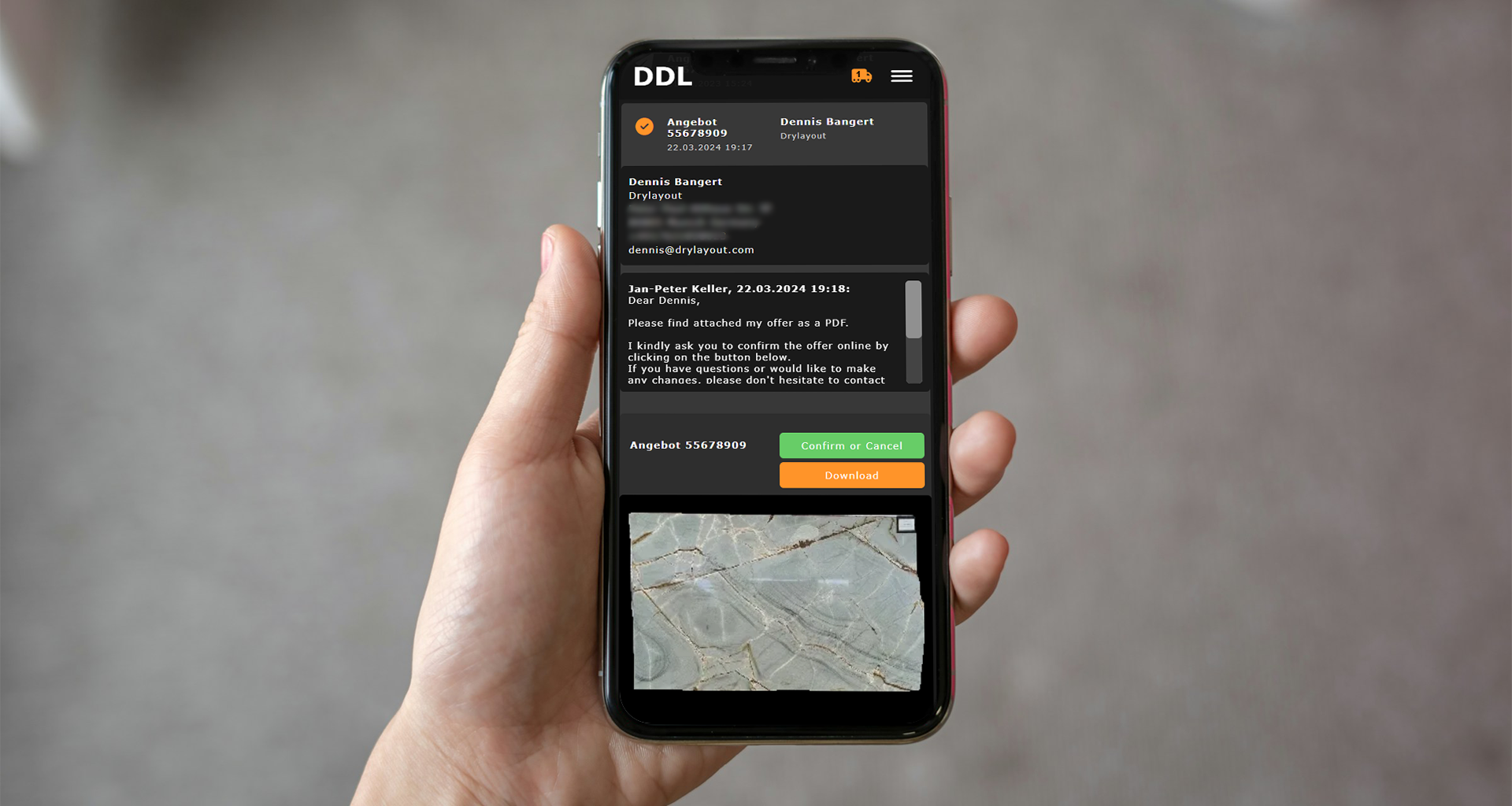


Was DDL für die Angebotserstellung leistet
Von der Plattenauswahl bis zur ERP-Übergabe, der gesamte Angebotsprozess in einer Plattform.
Angebote für alle Produkttypen
Funktioniert für Blöcke, Platten, Fliesen, Sockelleisten und mehr. Primär für den Rohmaterialverkauf, nicht für Projektkalkulationen (dafür gibt es die Projektplanung).
Kunden visuell überzeugen
Hochauflösende Plattenfotos werden automatisch ins Angebot übernommen. Kunden sehen exakt, was sie bekommen.
Mobil beim Kunden anbieten
Angebote direkt vom iPad oder Tablet beim Kundenbesuch erstellen und versenden, ohne Rücksprache mit dem Büro.
Tracking und Teilannahme
Sichtbar, wann der Empfänger das Angebot geöffnet hat. Teilweise Annahme möglich (z.B. nur Position 1). Vollständige Statushistorie einsehbar.
Mehrere Kommunikationskanäle
Digital im Kundenportal annehmen, als PDF herunterladen, per WhatsApp teilen, per E-Mail senden oder telefonisch besprechen und manuell bestätigen. Nicht jeder Kunde will ein Portal-Konto, der PDF-Weg ist immer verfügbar.
ERP nahtlos verbunden
Akzeptierte Angebote werden automatisch ins ERP übertragen. Lieferscheine und Rechnungen entstehen ohne Doppelerfassung.
So funktioniert die digitale Angebotserstellung
Von der Plattenauswahl bis zur ERP-Übergabe, in vier klaren Schritten.
Platten auswählen
Die gewünschten Platten direkt aus dem Online-Lager wählen. Alle Details wie Maße, Oberfläche und Fotos werden automatisch übernommen.
Angebot konfigurieren
Rabatte, Konditionen und Kundendaten festlegen. Preise werden automatisch berechnet, Plattenfotos eingebunden.
Versenden
Das fertige Angebot per E-Mail oder WhatsApp direkt an den Kunden senden. Mobil optimiert, sofort zugänglich.
Nachverfolgen
Den Status der Angebote prüfen, nachfassen und akzeptierte Angebote direkt ins ERP-System übertragen.
Jeder Schritt, durchdacht
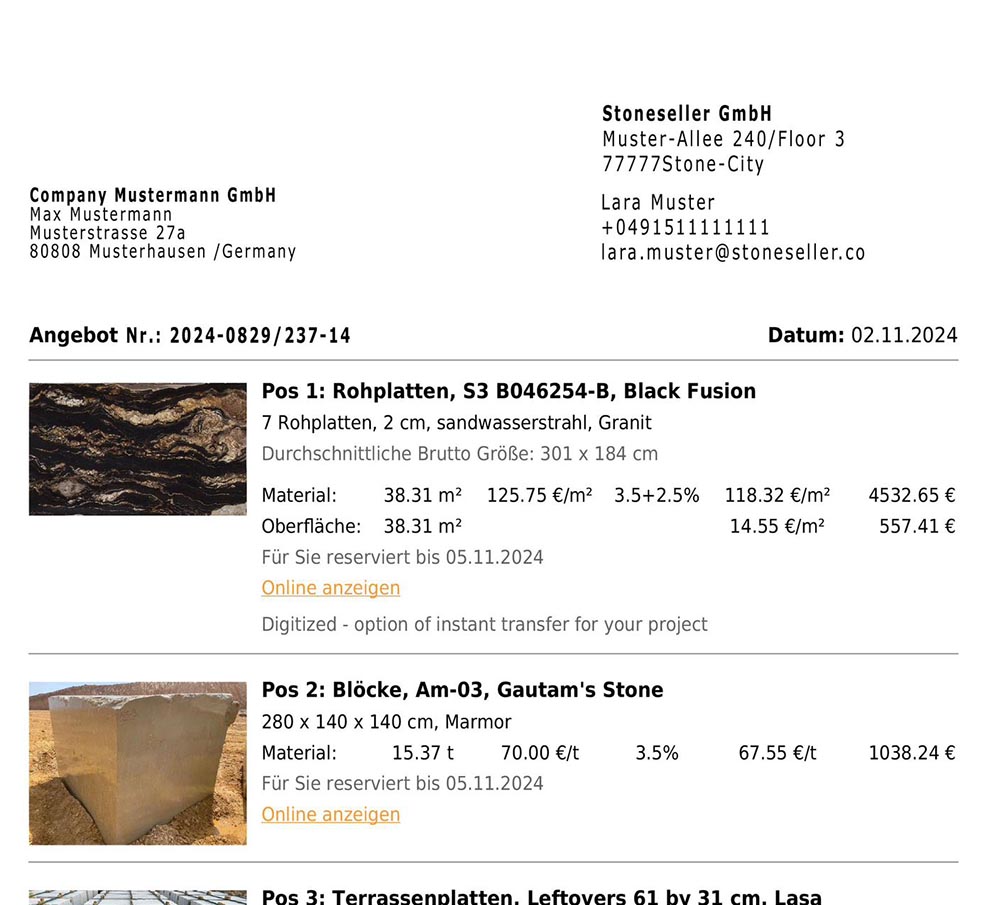
Professionelle Angebote in wenigen Klicks
Material aus dem Bestand wählen, Preise und Rabatte festlegen und ein vollständiges Angebot erstellen. Preise sind meist bereits im Lager hinterlegt, Rabatte und Konditionen werden aus dem CRM automatisch pro Kunde angewandt.
- Funktioniert für alle Produkttypen: Blöcke, Platten, Fliesen, Sockelleisten
- Preise aus dem Lager, Rabatte und Konditionen aus dem CRM
- Primär für Rohmaterialverkauf konzipiert
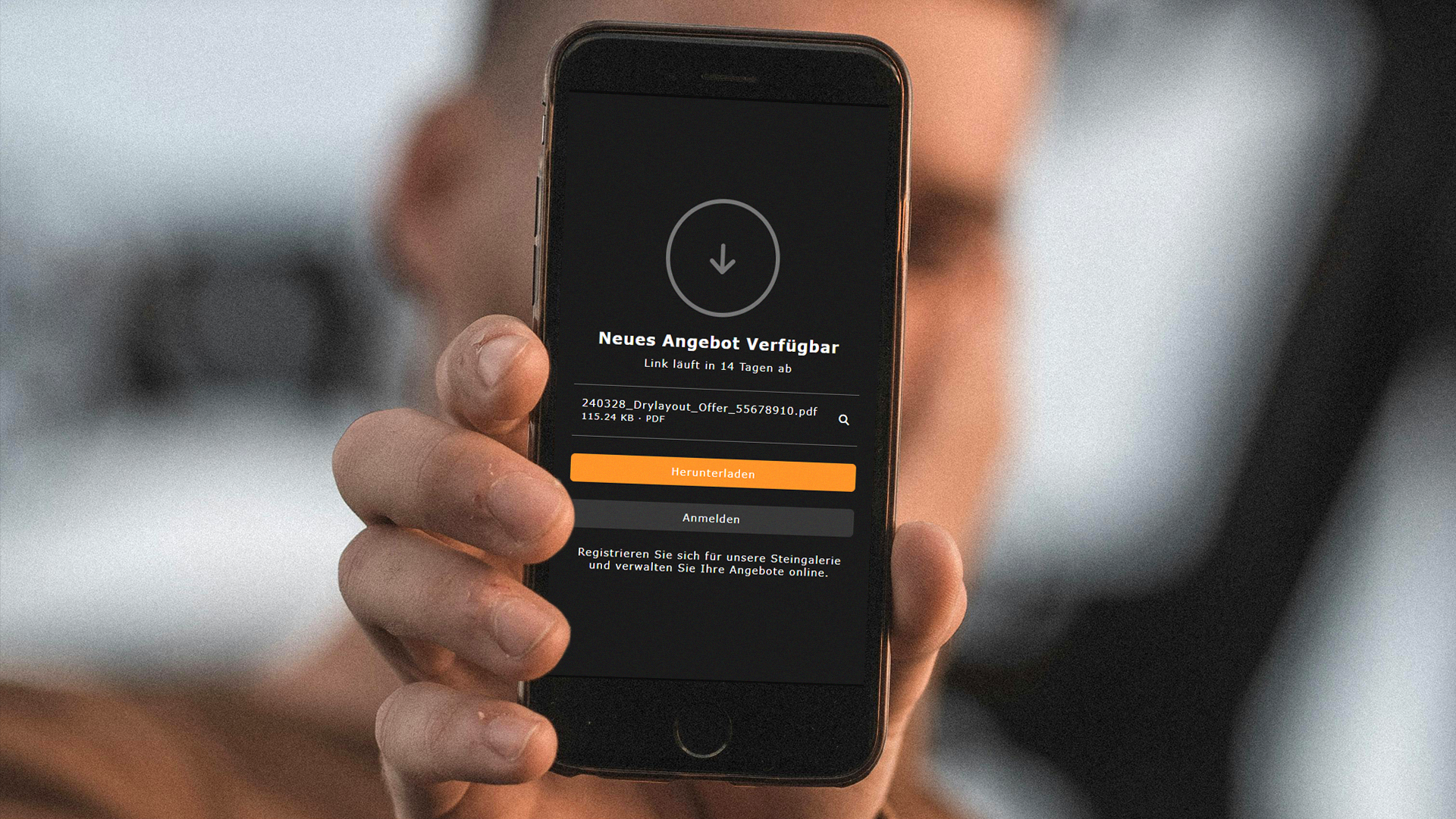
Mehrere Wege zum Kunden
Nicht jeder Kunde möchte ein Portal-Konto erstellen. Deshalb bietet DDL verschiedene Kommunikationskanäle: digitale Annahme im Kundenportal, PDF-Download, WhatsApp-Link, E-Mail-Versand oder telefonische Besprechung mit manueller Bestätigung.
- PDF-Angebote verlinken zurück zur Online-Galerie mit mehr Details und Fotos
- Teilannahme möglich (z.B. nur Position 1 von 3)
- PDF-Weg immer verfügbar, kein Zwang zum Portal
Vollständiges Tracking und Statushistorie
Sichtbar, wann der Empfänger das Angebot geöffnet hat. Kunden können im Kundenportal annehmen, auch nur einzelne Positionen. Die vollständige Statushistorie ist jederzeit einsehbar.
- Öffnungs-Tracking: sichtbar, wann das Angebot gelesen wurde
- Teilweise Annahme möglich (z.B. nur Position 1)
- Vollständige Statushistorie für jedes Angebot

Medienbruchfreie ERP-Integration: Vom Angebot zur Rechnung
Akzeptierte Angebote werden automatisch ins ERP-System übertragen. Lieferscheine und Rechnungen lassen sich direkt erstellen, ohne erneute Dateneingabe.
- Automatische Übergabe an das ERP-System
- Lieferscheine und Rechnungen ohne Doppelerfassung
- Nahtloser Übergang vom Angebot zur Abwicklung
Angebotserstellung: Klassisch vs. DDL
Wo klassische Prozesse Zeit kosten, schafft DDL Geschwindigkeit.
Mit DDL kann ich beim Kunden vor Ort alle Platten auf dem iPad zeigen und direkt ein Angebot erstellen. Das spart enorm Zeit und gibt mir jederzeit einen Überblick über alle meine Angebote und deren Status.

Häufige Fragen zu digitalen Angeboten
Jetzt mit DDL starten
Wer Angebote schneller erstellen, professioneller präsentieren und einfacher nachverfolgen möchte, kann den passenden Workflow in einer persönlichen Demo erleben.