Schnitte planen, Reststücke bewerten, Zuschnitt digitalisieren
DDL bietet zwei Zugänge zum digitalen Zuschnitt: Die Handscanner-App für einzelne Platten und einfache Schnitte direkt am Material, und die Projektplanung für komplexe Projekte mit DXF-Plänen und Ausbeuteoptimierung. Diese Seite zeigt den mobilen Zuschnitt mit der Handscanner-App.
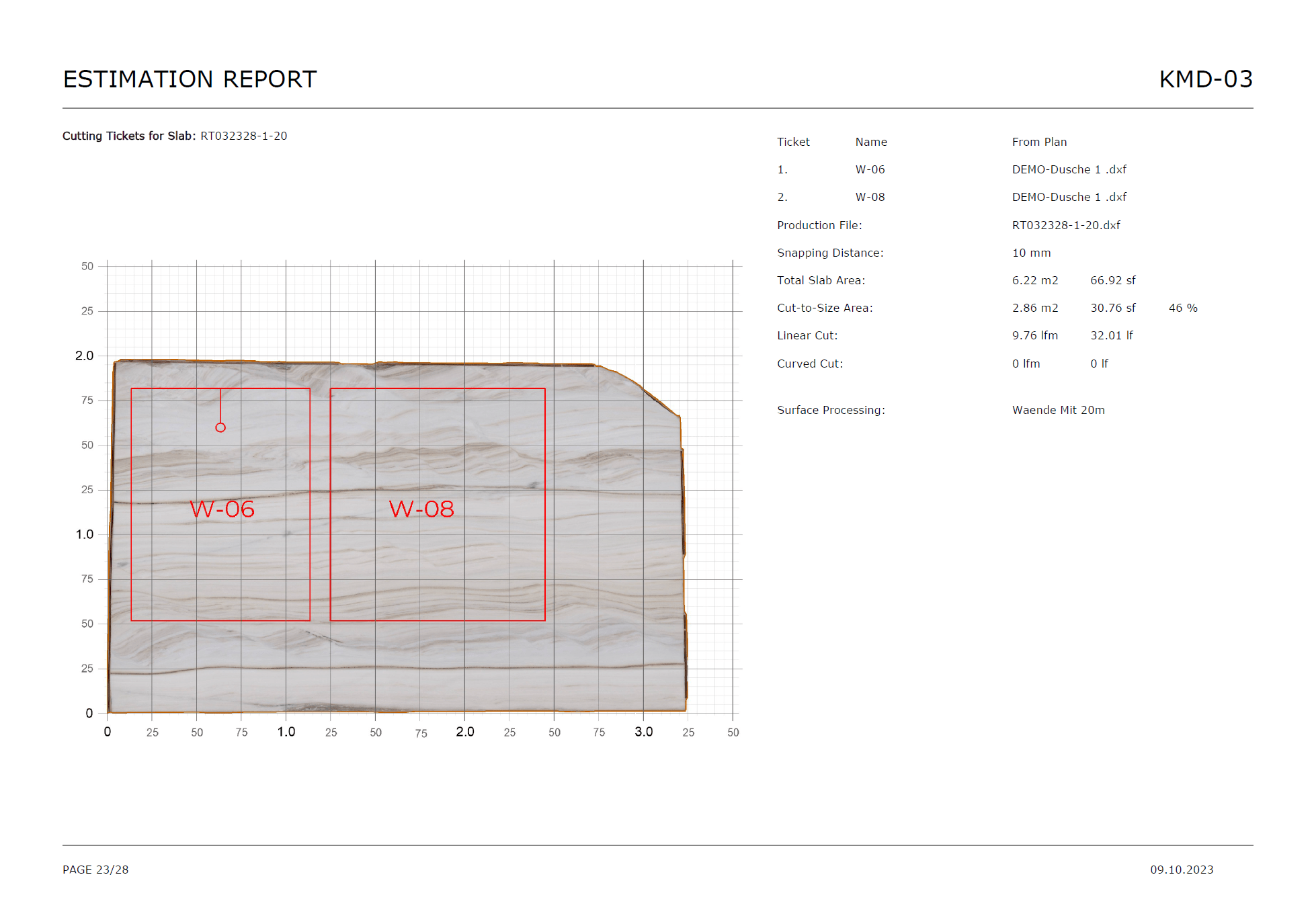


Was DDL im digitalen Zuschnitt leistet
Vom visuellen Schnitt bis zur Barcode-Kennzeichnung, alle Zuschnitt-Prozesse in einem Workflow.
Schnitte direkt auf dem Plattenbild planen
Der Editor arbeitet visuell statt nur über Listen oder Handskizzen. Schnitte werden direkt auf dem Foto der Platte geplant.
L-Schnitte für Arbeitsplatten
L-Cuts für Küchenarbeitsplatten und andere Sonderformen lassen sich direkt im Workflow erfassen.
Teileliste auf der Platte anordnen
Parts-Liste zur Platte hinzufügen und auf dem Plattenbild arrangieren. Teile auch direkt über Breite und Höhe definieren.
Reststücke automatisch ins Lager zurück
Offcuts und Reststücke werden automatisch ins Lager zurückgebucht. Zugeschnittene Teile werden Aufträgen zugeordnet.
Barcodes nach dem Schnitt weiterführen
Kennzeichnung und Nachverfolgung schließen direkt an den Zuschnitt an.
Für komplexe Projekte: Projektplanung nutzen
Große Projekte mit DXF-Plänen, Verschnitt-/Ausbeutekennzahlen und Zielquoten vor Projektstart gehören in die Projektplanung. Einzelplatten und einfache Schnitte: Handscanner-App.
So funktioniert der digitale Zuschnitt
Vom Material bis zur Kennzeichnung, in vier klaren Schritten.
Material auswählen
Die passende Platte wird im mobilen Workflow geöffnet und dem Vorgang zugeordnet.
Schnitte oder Teile definieren
Schnittlinien oder Teilemaße werden direkt im Zuschnitt-Modul erfasst.
Reststücke bewerten
Im Offcut-Review wird festgelegt, was erhalten bleibt und wie weitergearbeitet wird.
Kennzeichnen und weiterführen
Barcodes und Folgeprozesse schließen direkt an den Zuschnitt an.
Jeder Schnitt, ein Prozess

Schnitte visuell auf dem Material planen
Im Zuschnitt-Modul der Handscanner-App werden Schnitte direkt im Bild der Platte gesetzt. L-Schnitte für Arbeitsplatten, gerade Schnitte und Parts-Listen lassen sich intuitiv auf dem Plattenbild anordnen.
- Schnittlinien direkt auf der Plattenansicht setzen
- L-Schnitte für Arbeitsplatten und gerade Schnitte
- Parts-Liste auf dem Plattenbild anordnen
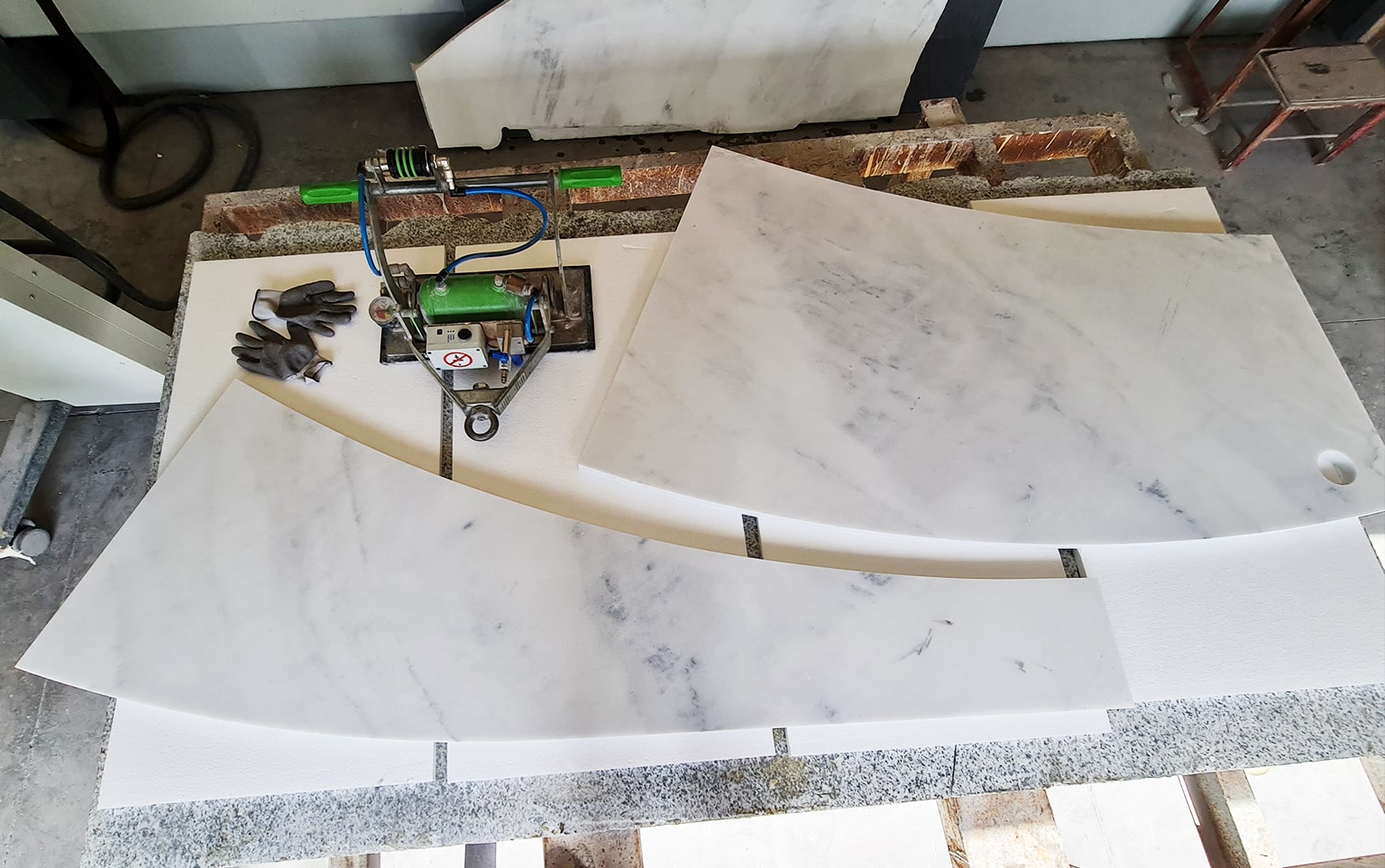
Reststücke automatisch zurück ins Lager
Nach dem Zuschnitt werden Offcuts und Reststücke automatisch ins Lager zurückgebucht. Zugeschnittene Teile werden Aufträgen zugeordnet. So bleibt der Bestand immer aktuell.
- Offcuts automatisch ins Lager zurückgebucht
- Zugeschnittene Teile den Aufträgen zugeordnet
- Bestand bleibt immer aktuell
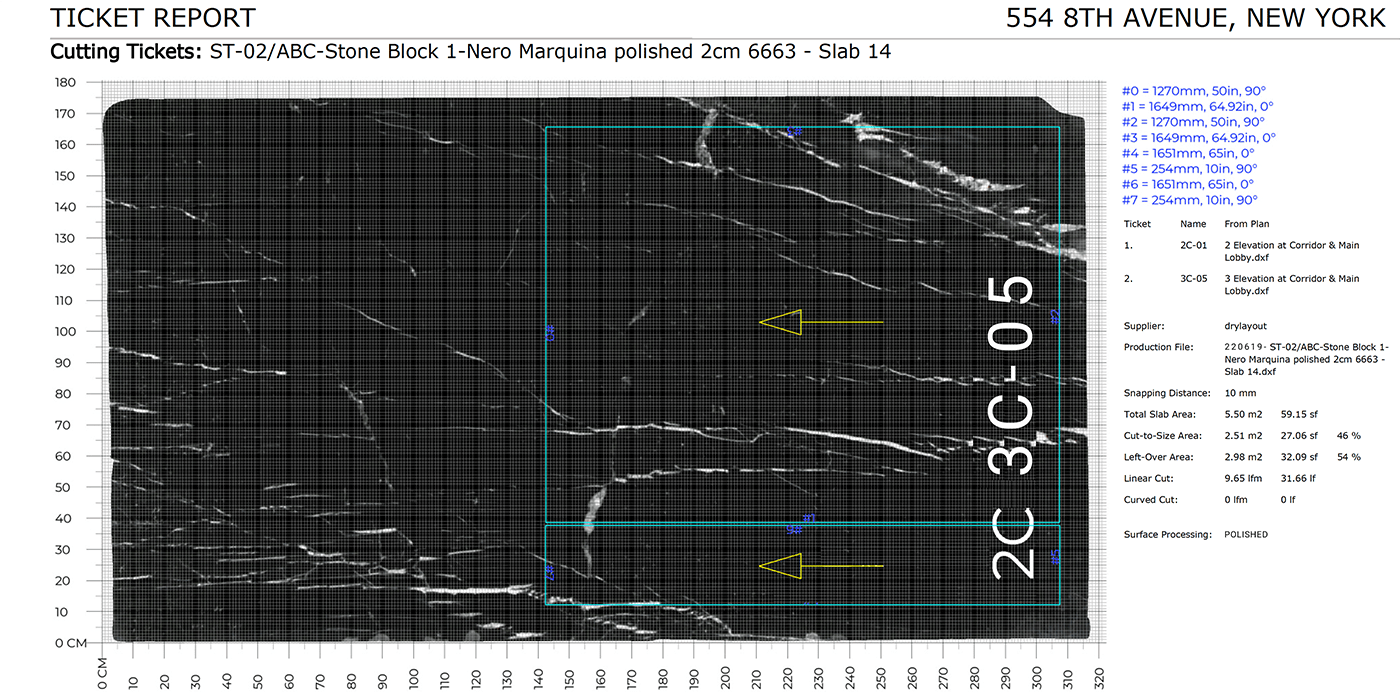
Kennzeichnung und Dokumentation direkt anschließen
Nach dem Schnitt kann der Prozess direkt mit Barcode-Druck und Folgekennzeichnung weiterlaufen. So entsteht keine Lücke zwischen Zuschnitt und Identifikation der Teile.
- Post-Cut Barcode-Druck für alle Zuschnitteile
- Durchgängige Prozesskette: Schnitt bis Identifikation
- Keine Lücke zwischen Zuschnitt und Nachverfolgung

Zwei Zugänge zum Zuschnitt
Einzelplatten und einfache Schnitte: Handscanner-App (diese Seite). Komplexe Projekte mit DXF-Plänen, Verschnitt-/Ausbeutekennzahlen und Zielquoten: Projektplanung.
- Handscanner-App: intuitiv, mobil, schnell
- Projektplanung: DXF-Import, Ausbeuteoptimierung, Zielquoten
- Mehr zur Projektplanung
Manuelle Zuschnittplanung vs. DDL
Wo klassische Prozesse an Grenzen stoßen, setzt DDL an.
DDL hat uns ermöglicht, unsere Kunden und deren Entscheider früher einzubeziehen und mit mehr Sicherheit in die Verarbeitung zu gehen. Gerade bei Projekten mit vielen verschiedenen Maßen konnten wir die Materialausbeute im Schnitt um rund 15% steigern und so insgesamt bis zu 20% der Kosten einsparen.

Patrick Pritzi
Projektleiter

Häufige Fragen zum digitalen Zuschnitt
Jetzt mit DDL starten
Wer Zuschnitt, Reststückbewertung und Kennzeichnung im Natursteinbetrieb digital zusammenführen möchte, kann den DDL Workflow in einer Demo erleben.