Natural Stone Offers in Minutes
Create professional offers for all product types, blocks, slabs, tiles, baseboards and more. Send via email, WhatsApp or as PDF download and let customers confirm in the customer portal. Primarily designed for raw material sales.
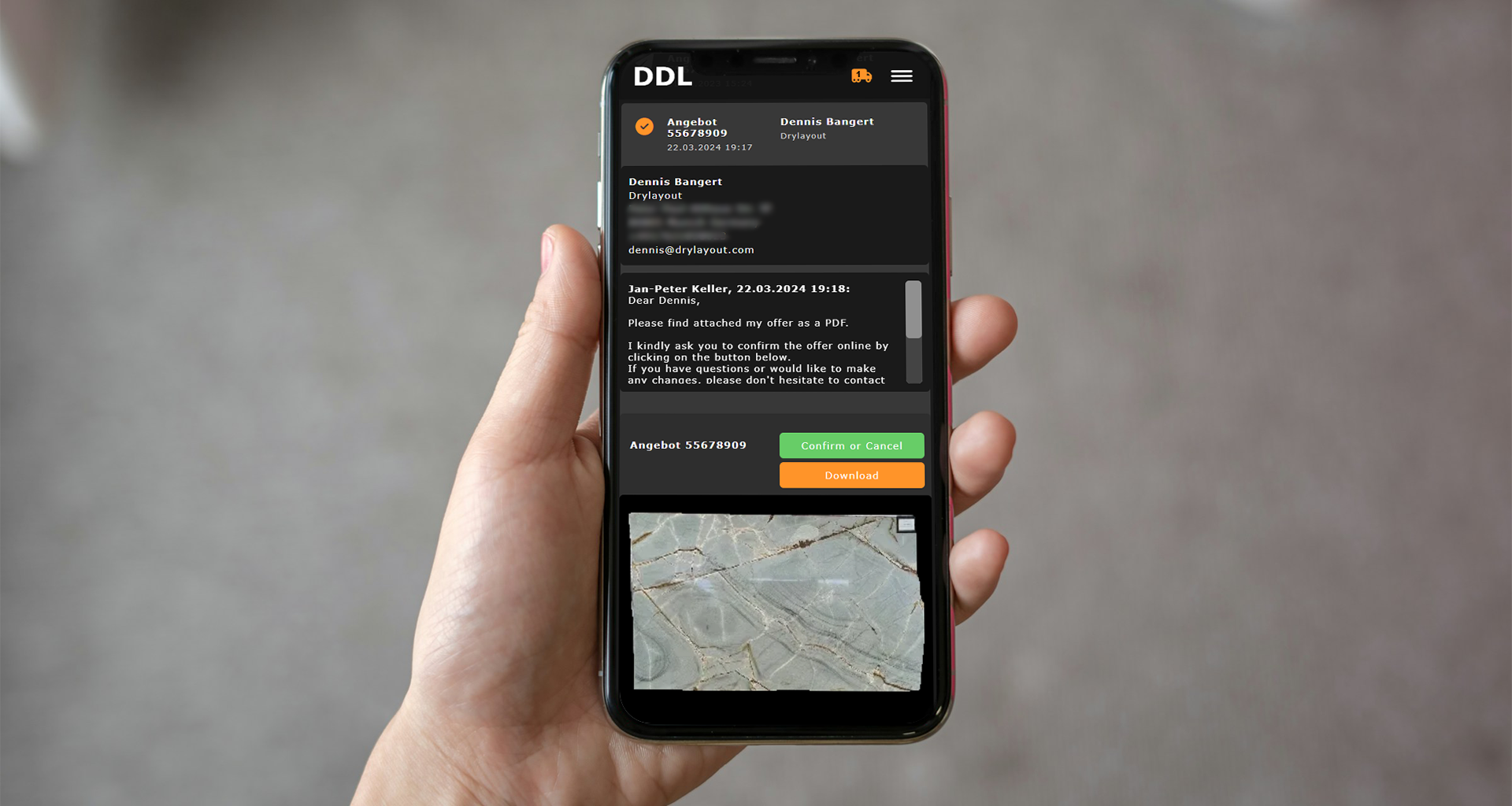


What DDL does for your offer creation
From slab selection to ERP handover, the entire offer process in one platform.
Offers for all product types
Works for blocks, slabs, tiles, baseboards and more. Primarily designed for raw material sales, not for project calculations (that is a separate feature in project planning).
Convince customers visually
High-resolution slab photos are automatically included in the offer. Customers see exactly what they get.
Create offers on the go
Create and send offers directly from iPad or tablet at the customer site, without calling the office.
Tracking and partial acceptance
See when the recipient opened the offer. Partial acceptance is possible (e.g. only position 1). Full status history is always visible.
Multiple communication channels
Accept digitally in the customer portal, download as PDF, share via WhatsApp, send by email, or discuss by phone and confirm manually. Not every customer wants a portal account, the PDF path is always available.
ERP seamlessly connected
Accepted offers are automatically transferred to ERP. Delivery notes and invoices are created without double entry.
How digital offer creation works
From slab selection to ERP handover, in four clear steps.
Select slabs
Choose the desired slabs directly from the online inventory. All details like dimensions, finish and photos are automatically included.
Configure offer
Set discounts, terms and customer data. Prices are calculated automatically, slab photos are embedded.
Send
Send the finished offer via email or WhatsApp directly to the customer. Mobile-optimized, instantly accessible.
Follow up
Check the status of your offers, follow up and transfer accepted offers directly to your ERP system.
Every step, well thought out
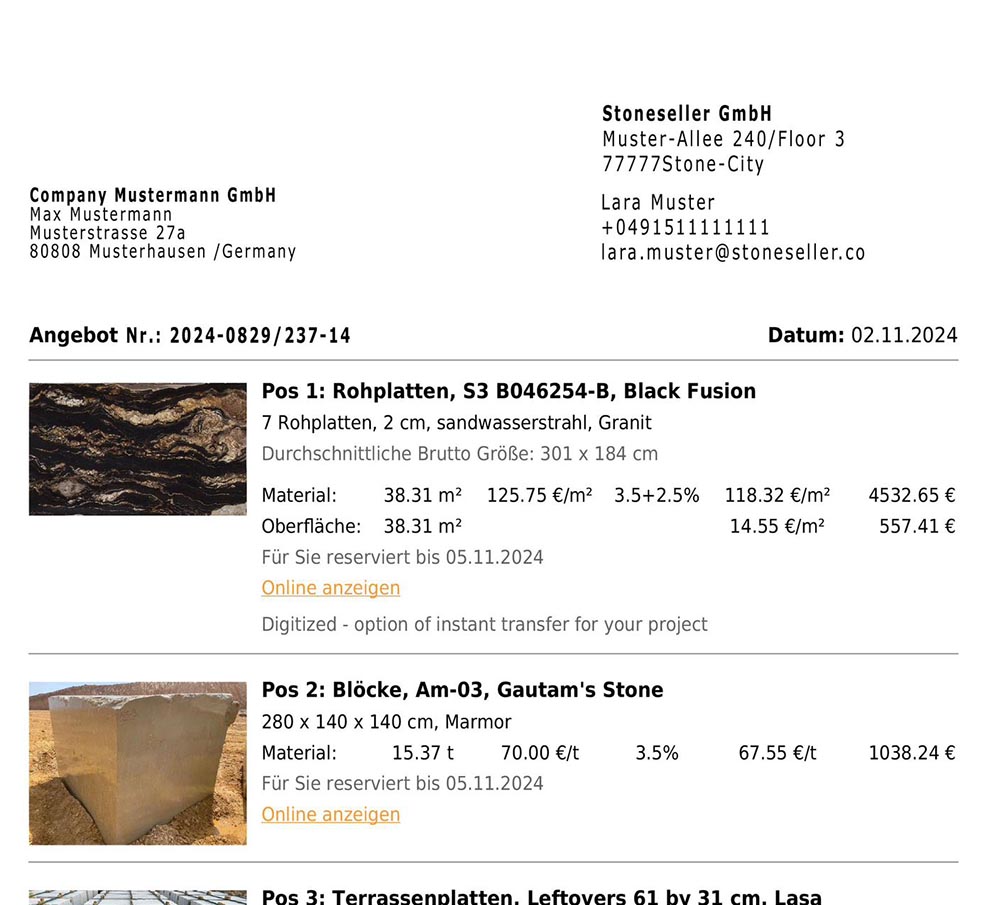
Professional offers in just a few clicks
Select material from your inventory, set prices and discounts, and create a complete offer. Prices are usually already stored in the warehouse, discounts and conditions are auto-applied per customer from the CRM.
- Works for all product types: blocks, slabs, tiles, baseboards
- Prices from inventory, discounts and conditions from CRM
- Primarily designed for raw material sales
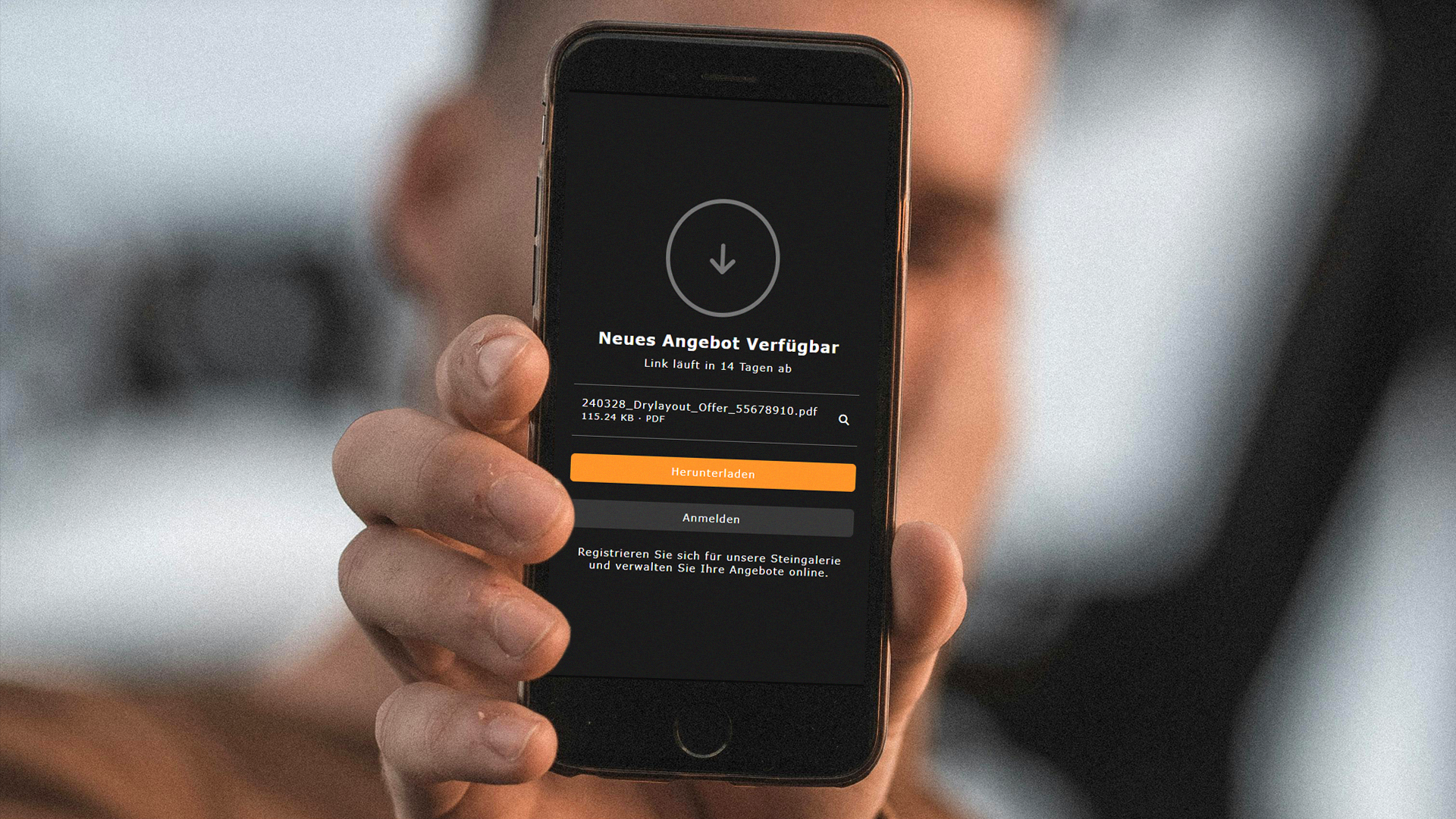
Multiple ways to reach the customer
Not every customer wants to create a portal account. That is why DDL offers multiple communication channels: digital acceptance in the customer portal, PDF download, WhatsApp invitation link, email delivery, or phone discussion with manual confirmation.
- PDF offers link back to the online gallery with more details and photos
- Partial acceptance possible (e.g. only position 1 of 3)
- PDF path always available, no portal account required
Full tracking and status history
See when the recipient opened the offer. Customers can accept in the customer portal, including partial acceptance of individual positions. Full status history is always visible.
- Open tracking: see when the offer was read
- Partial acceptance possible (e.g. only position 1)
- Complete status history for every offer

From offer to invoice without media breaks
Accepted offers are automatically transferred to your ERP system. Delivery notes and invoices can be created directly, without re-entering data.
- Automatic handover to your ERP system
- Delivery notes and invoices without double entry
- Seamless transition from offer to fulfillment
Offer Creation: Traditional vs. DDL
Where traditional processes cost time, DDL creates speed.
With DDL I can show all my slabs on the iPad at the customer site and create an offer on the spot. It saves a tremendous amount of time and gives me a full overview of all my offers and their status.

Frequently Asked Questions about Digital Offers
Offers are just the beginning
Get Started with DDL
If you want to create offers faster, present them more professionally and track them more easily, we will show you the right workflow in a personal demo.