Stone Fabrication Software: How to Separate Tools from Toys
The market for stone fabrication software has grown rapidly. Dozens of platforms promise to manage quotes, track slabs, schedule installations, and run CNC machines — often all at once. Feature lists don't help with the actual decision: which categories of software does your operation require, and can a single platform replace the patchwork of spreadsheets, accounting tools, and disconnected apps that most fabrication shops still rely on? This guide breaks down five core categories, explains the architectural decision that separates stone-specific tools from generic inventory systems, and offers evaluation criteria that go beyond marketing pages.
Why Most Shops Still Run Five Tools
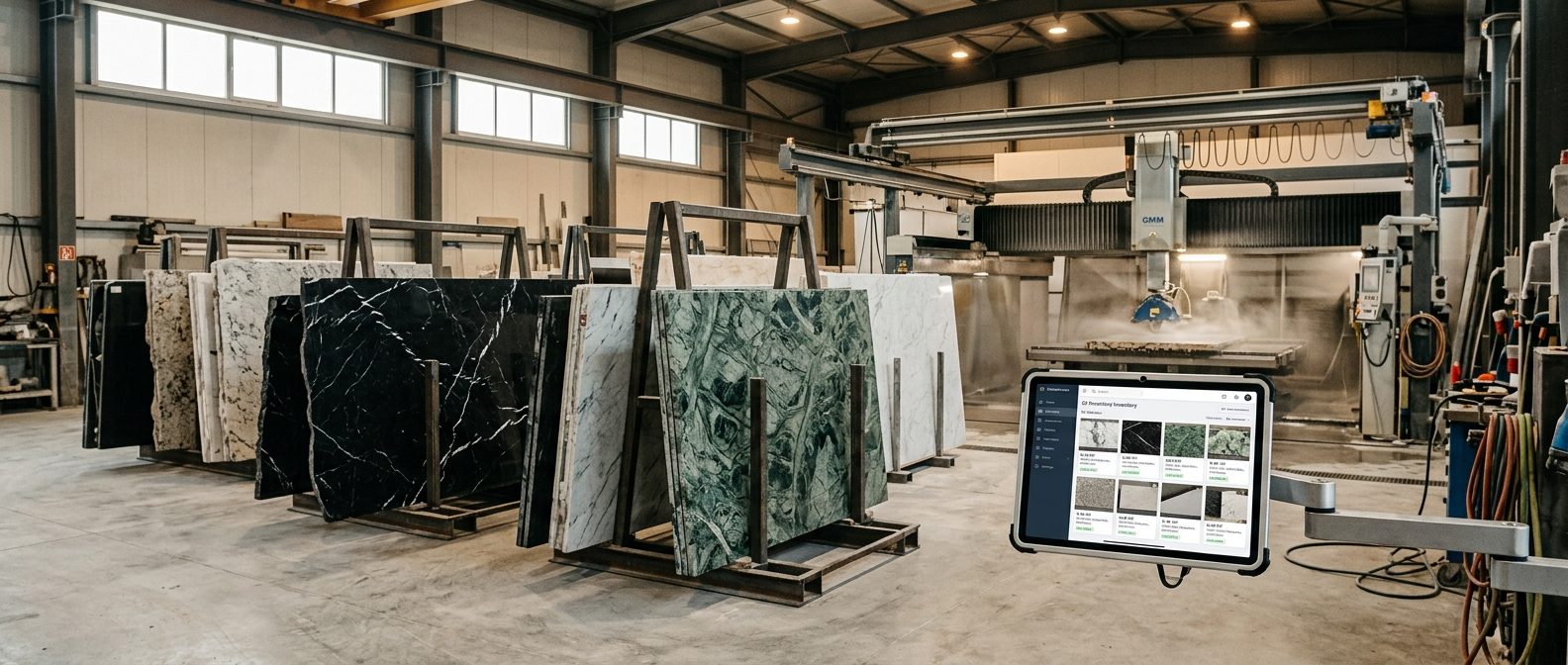
A typical stone fabrication business tracks slab inventory in spreadsheets, handles accounting in QuickBooks or similar, uses separate CAD software for layouts, manages schedules through shared calendars or whiteboards, and communicates approvals via email and phone. Each tool works in isolation. The result: data lives in five places, and no single person has a complete picture of what's happening across the operation.
This isn't a technology problem — it's an industry-specific one. Generic ERP systems treat inventory as interchangeable units: 500 pieces of SKU #4471. Natural stone doesn't work that way. Every Nero Marquina slab has a unique Veining pattern. Every Verde Alpi block yields slabs with slightly different color intensity. A system that tracks "granite, 2 m², polished" without distinguishing between individual slabs will inevitably lead to the same problem: a slab gets sold twice, reserved material goes missing, or a project receives slabs that don't match the architect's approved appearance.
When fabricators realize their generic tools can't handle slab-level uniqueness, they compensate with manual workarounds — sticky notes on slabs, color-coded Excel rows, photos stored in phone galleries. The tools multiply. The data fragments. And the inefficiency becomes invisible because everyone has adapted to it.
A 2024 case study from a granite fabrication shop that implemented quality control tracking within their inventory system reported a 25% reduction in waste. The improvement didn't come from cutting better — it came from knowing which slab was where, what condition it was in, and which project it belonged to.
Five Categories of Stone Fabrication Software
ERP and Business Management
Covers the full business workflow: quotes, orders, invoicing, CRM, and reporting. The strongest platforms connect slab selection directly to the quote — so when a customer accepts, the material is automatically reserved. Without this link, double-selling remains a constant risk for any shop handling unique natural stone.
Inventory and Warehouse
Tracks individual slabs — not just material types. Includes physical location (warehouse, rack, slot), movement history, barcode or QR scanning, and remnant management. The critical distinction: slab-based systems photograph and identify each piece. SKU-based systems only count quantities. For natural stone, only slab-based tracking prevents the chronic problems of misidentified material and lost remnants.
CAD/CAM and CNC Integration
Imports architect drawings (DXF/DWG), generates cutting tickets, and exports machine code for CNC saws and waterjet cutters. Advanced tools go beyond nesting: they enable digital Dry Layout — placing real slab photos onto cut plans to verify Veining continuity before a single cut is made. This saves the most expensive type of waste: material that was cut correctly but didn't match the visual requirements.
Slab-Based vs. SKU-Based: The Core Decision
This is the single most important architectural difference in stone fabrication software — and the one least discussed in comparison articles.
SKU-based systems were designed for manufacturing and retail. They track quantities of identical items. When a furniture company manages 200 identical oak boards, a SKU system works perfectly. When a stone shop manages 200 Bianco Lasa slabs — each with a unique Veining pattern, thickness variation, and surface finish — SKU logic breaks down. The system says "47 slabs in stock." But it can't answer: "Which of those 47 match the Veining range the architect approved for the lobby project?"
Slab-based systems treat every piece as an individual object with its own photo, dimensions, provenance, block number, and movement history. When a slab moves from rack 3 to the cutting table, the system logs it. When the remnant returns, it gets a new ID and barcode. When a project manager searches for slabs matching a specific appearance, the system returns actual photographs — not a quantity count.
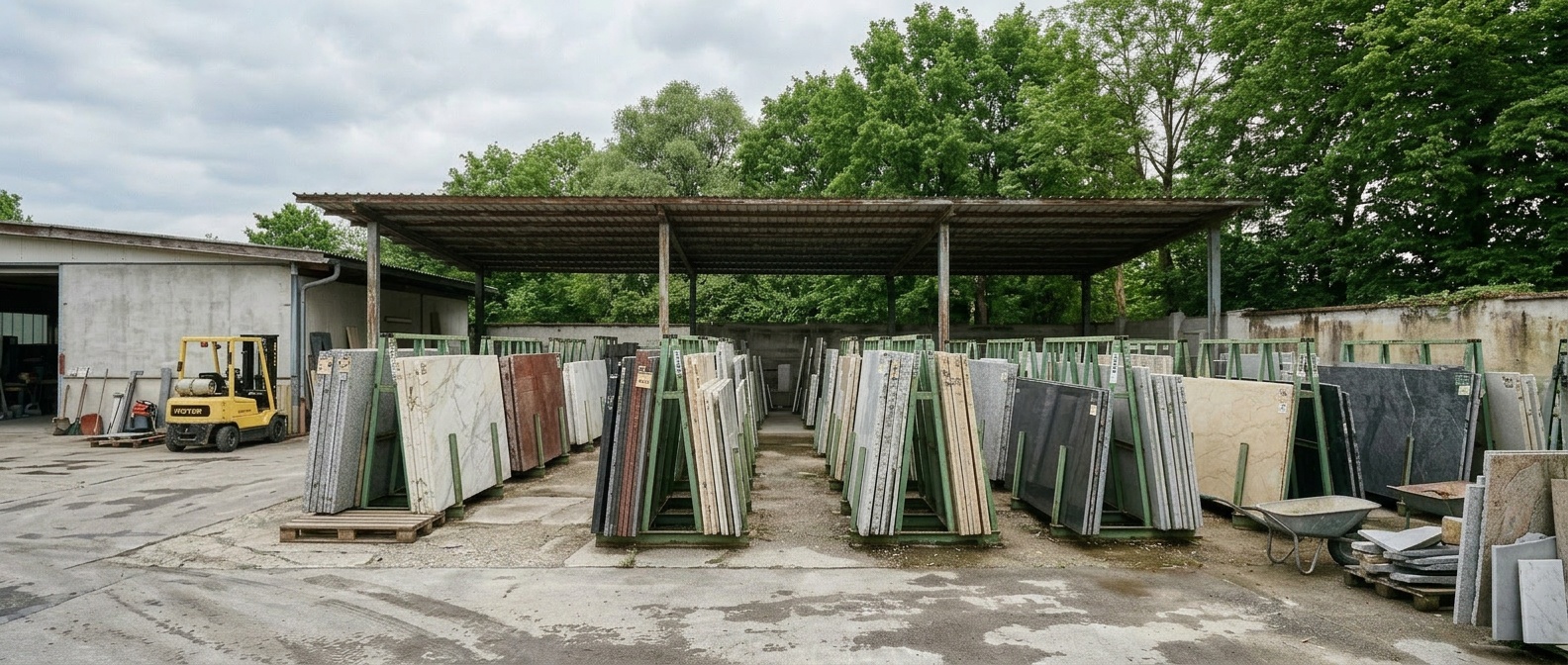
The operational difference is significant. Shops running slab-based tracking report faster project quoting (the sales team can show real photos instead of generic material names), fewer material conflicts (reservations are tied to specific slabs, not quantities), and more effective remnant utilization — because leftover pieces remain visible and searchable instead of gathering dust in a forgotten corner of the warehouse.
Lasa Marmo, a producer in South Tyrol processing Bianco Lasa marble, runs their entire production workflow on slab-based tracking — from block delivery through CNC cutting to dispatch. Their reported outcome: roughly 20% cost savings through better material management and project coordination. At Pulycort in Portugal, the adoption story was different — a family business where father, brother, and warehouse staff all needed to work with the system. Their feedback after going live: "The employees tell that it's quite easy to manage it, to don't lose so many time." For traditional operations, that ease of adoption matters as much as any feature.
Inside DDL: Slab-Based from the Ground Up
DDL was built specifically for the natural stone trade — not adapted from generic ERP or countertop software. Every slab is a unique object with its own photo, dimensions, block provenance, and full movement history. The inventory system supports multi-location tracking, QR-code scanning, and differentiated status flags (sold, consumed, reserved, defect, waste, missing). DXF architect drawings are imported directly, and the Blending tool places real slab photos onto cut plans for visual approval before production. Five languages (EN, DE, IT, FR, PT) and a smartphone-first mobile app ensure adoption across international teams — from the warehouse floor to the architect's desk. When a plan is uploaded, DDL reads dimensions and special parts straight from the DXF and lists them as calculation rows — prices are pulled automatically from the stored price list, with project-specific adjustments still possible. Up to five price lists can be stored per customer — and with ‚view as customer' the team sees exactly what the customer is shown in the portal, including the original price struck through next to the customer price. Reservations can be adjusted right on a mobile device in the warehouse — extend the period, remove individual slabs, or end the reservation, without going back to the desktop.
Learn moreHow to Evaluate What Fits Your Operation
Map Your Current Tool Stack
List every tool your team uses daily: spreadsheets, accounting software, CAD, scheduling, photo storage, email threads for approvals. Count how many times the same information is entered manually across tools. That number is your fragmentation cost. Shops running four or more disconnected tools typically spend hours per week on data re-entry alone — time that scales linearly with project volume.
Test with Your Real Slabs
Any platform can demo well with pre-loaded sample data. The test that matters: import your actual inventory. Scan your slabs. Upload your DXF files. If the system can't handle your specific slab sizes, your material naming conventions, or your warehouse layout within the first two hours — it won't handle them six months later either. Ask for a trial with your data, not a slideshow.
Check What Happens After the Sale
Software quality shows after the sale, not before. How fast does support respond? Can you reach a person who understands stone fabrication, not just software? Are updates driven by real fabricator feedback or by a product roadmap disconnected from shop floors? The stone industry is small enough that references are easy to verify. Ask for customer contacts in your segment. Call them.
The Market Has Matured — So Should the Buying Decision
Five years ago, fabricators wondered whether stone-specific software existed at all. Today, dozens of platforms compete across ERP, inventory, CAD/CAM, and project planning. The decision is no longer whether to digitize, but which combination of capabilities matches how the operation actually runs.
For shops processing natural stone — slabs, blocks, large-format projects — the slab-based vs. SKU-based distinction narrows the field significantly. Add requirements like DXF integration, multi-language support, or project planning with architect approval workflows, and the shortlist gets even shorter.
The right tool isn't the one with the most features. It's the one that eliminates the most manual workarounds your team has learned to live with.
Questions about choosing the right platform? Jan Keller works with stone fabricators across Europe and can walk through what fits your specific operation.
Related reading: Software for the Natural Stone Industry — What Fabricators and Distributors Should Know
Explore DDL Solutions

Find the Right Fit for Your Operation
Jan Keller helps stone fabricators evaluate which software categories match their workflow — no pressure, no pitch.